
Have you ever suffered from having your business accounts banned because you manage them all from the same computer? Today, websites and platforms rely on precise tracking technologies that detect the use of multiple accounts, putting your work at risk of sudden suspension. This is where BitBrowser comes in
It is a practical tool that allows you to open dozens of accounts from the same screen, but in a way that makes each account appear to websites as if it is operating from a completely different device and location.
In this review, we will explore how this software can simplify your daily tasks and protect your accounts without any technical complications.
Quick Summary
BitBrowser is a browser that allows you to securely manage multiple online accounts (such as e-commerce stores or social media platforms) to avoid bans.
The software relies on creating isolated browsing environments, where each account possesses a completely independent "digital fingerprint." It features a permanent free plan sufficient to get started, affordable packages, and a Cloud Phone feature for managing mobile apps.
Despite its high efficiency in organization, protecting your accounts necessarily requires connecting it to high-quality proxies and not directly violating website policies.
Security Warning: Despite the browser's efficiency and features, caution must be exercised, and strong Two-Factor Authentication (2FA) should be relied upon for all your accounts, given that the browser previously suffered from security vulnerabilities in its cloud servers that led to the leakage of some users' data.
What Is BitBrowser and How Does It Work?
Simply put, it is a browser that allows you to create multiple windows or profiles. Each profile acts as if it were a completely different computer.
When you open the first account, the website sees that you are browsing from a (Windows) system in (the UK). When you open the second account, the website sees that you are browsing from a (Mac) device in (the US). This complete separation protects your accounts from being linked to one another.
What Is the Cloud Phone Feature (BitCloudPhone)?
BitBrowser is not limited to regular web browsing; it also offers a feature called Cloud Phone. This is a virtual environment that gives you a smartphone (Android or iPhone) right on your computer screen.
This feature is excellent for those who need to manage accounts requiring mobile apps (like TikTok or Instagram), or for app developers looking to test their applications on different phones without actually having to buy physical devices.
Who Can Benefit from This Browser?
Social Media and Marketing Agencies: To manage different client accounts without overlap.
E-commerce Store Owners: To securely and independently manage multiple stores or seller accounts.
Affiliate Marketers: To test ad campaigns in different countries using separate accounts.
Quality Assurance (QA) Teams: To test websites and ensure they function properly across various operating systems and screen sizes.
Top Features of BitBrowser in 2026
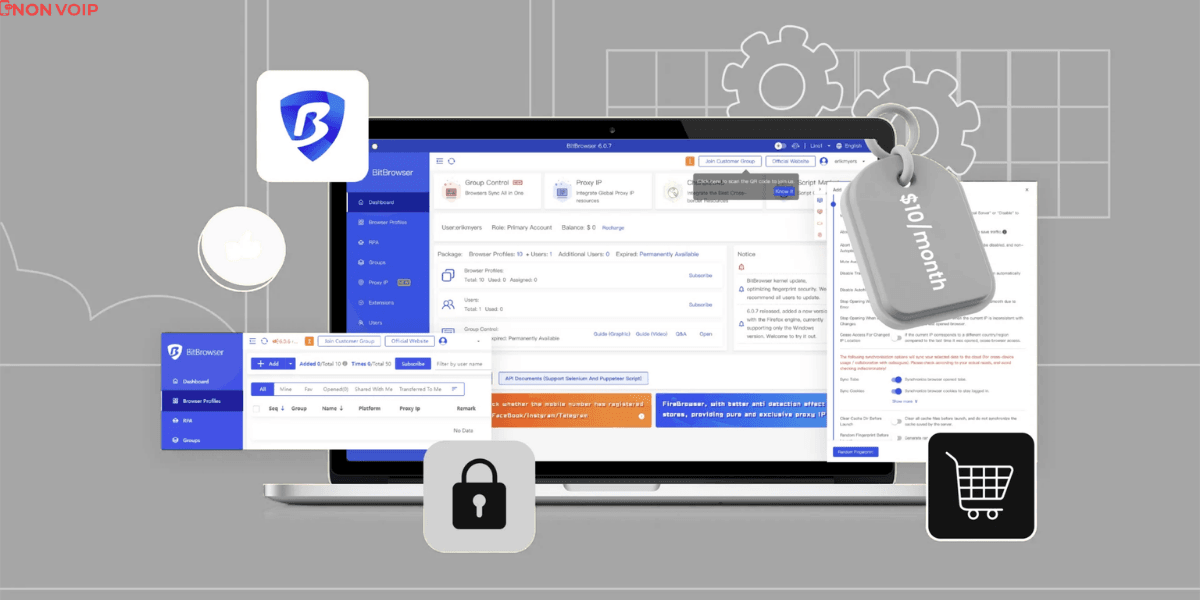
Complete Data Isolation: Every profile you open retains its own passwords and browsing history without leaking data to other profiles.
Digital Fingerprint Control: You can change the device type, screen resolution, time zone, browser language, and even the processor type with the click of a button.
Team Collaboration Tools: You can add your team and set permissions for each employee (e.g., an employee can only browse, but cannot delete the account). This spares you from sending passwords back and forth.
Built-in Automation Tools: If you have repetitive routine tasks (like clicking certain buttons daily), the browser provides programmatic tools to do this on your behalf to save time.
Pricing: Is It Expensive?
One of the main reasons for BitBrowser's widespread use is its affordable pricing structure compared to competitors:
Free Plan: Free for life and gives you 10 profiles (excellent for starting out and testing).
Starter Plan: Starts at $10 per month and gives you 50 profiles.
Enterprise Plans: Scale up to thousands of profiles with custom pricing.
(Note: The Cloud Phone feature is billed separately based on the virtual device's uptime and processing power).
Things You Must Know Before Buying (Security, Payment, and Competitors)
To complete the picture and help you make an informed decision, here are some crucial operational details we haven’t overlooked:
Data Security and Privacy: Since you will be managing important accounts, BitBrowser encrypts your sensitive data (like passwords and cookies) stored in the cloud to ensure security.
However, we strongly advise against saving sensitive passwords or crypto wallets directly inside the browser, and always rely on Two-Factor Authentication (2FA).Available Payment Methods: To facilitate subscriptions for teams worldwide, the platform supports flexible payment options including credit cards, e-wallets, and cryptocurrency (Crypto) for those seeking complete financial independence and privacy.
How Does It Compare to Competitors? If we look at popular tools in this market like Multilogin or GoLogin, BitBrowser might not have the most beautiful user interface, but it decisively wins on "value for money." Offering a permanent free plan (10 profiles) and paid packages starting at just $10 makes it the smartest economical choice for beginners and companies looking to cut costs without sacrificing core features.
Technical Support: The software provides technical support channels to help users overcome hurdles, which is critical for marketing agencies that cannot afford sudden workflow disruptions.
Drawbacks (With Full Transparency)
Just to be clear, this browser is not magic and has certain limitations:
Highly Dependent on Proxy Quality: The browser changes your device's fingerprint but does not change your IP address on its own. You must purchase a good proxy and connect it to the browser. If the proxy is of poor quality, your account will be banned no matter how strong the browser is.
Consumes Computer Resources: Opening 20 or 30 browser profiles simultaneously requires a computer with good specifications (a strong processor and ample RAM).
Does Not Guarantee Absolute Safety: The browser is a tool to organize your workspace. If you engage in suspicious activities or explicitly violate website policies, your account will definitely be banned.
How to Get Started Step-by-Step (A Simplified Setup Guide)
Download and Install: Download the software from the official website (supports Windows and Mac) and create a free account.
Create a New Environment (Profile): Click on "Create New Profile" and give it a clear descriptive name (e.g., Clothing Store Account - USA).
Select the Operating System: Choose whether you want this account to appear as if it is from a Windows, Mac, or mobile device.
Add a Proxy (The Most Important Step): Enter your proxy details to change the account's IP address to match your desired country. Make sure to test the connection.
Launch: After saving the settings, click "Run." A completely new, clean browser window will open, ready for you to securely log into your account.
Conclusion
If you are looking for a tool to organize dozens of professional accounts at very reasonable prices, BitBrowser represents an excellent choice in 2026. Its free plan makes it a risk-free option to test.
Just remember the golden rule: an anti-detect browser protects your device's fingerprint, but complying with website policies and using a high-quality proxy are the real secrets to keeping your accounts safe.