eBay requires phone verification for new accounts to ensure a secure trading environment.
To avoid account bans or the risks of unreliable free numbers, using a genuine mobile number from the Non-VoIP platform is the ideal solution.
It allows you to safely bypass phone verification, protect your privacy, and start buying or selling globally.
TL;DR
To create eBay account without phone number and bypassing strict security filters, Non-VoIP provides authentic SIM-based numbers.
Simply log in, select the "eBay" service, choose a server, and enter the assigned number during registration to receive the SMS code on your dashboard. An automatic refund is guaranteed if the code doesn't arrive.
Can You Create an eBay Account Without a Phone Number?
eBay strictly requires a phone number for SMS verification during registration to ensure account security. However, you do not have to use your personal number.
You can use alternative solutions like the Non-VoIP platform, which offers temporary daily or monthly numbers to complete your registration securely without sharing personal data.
How to Create eBay Account Without Phone Number
To create eBay account without phone number, follow these simple steps:
Stage 1: Buying the Number from Non-VoIP
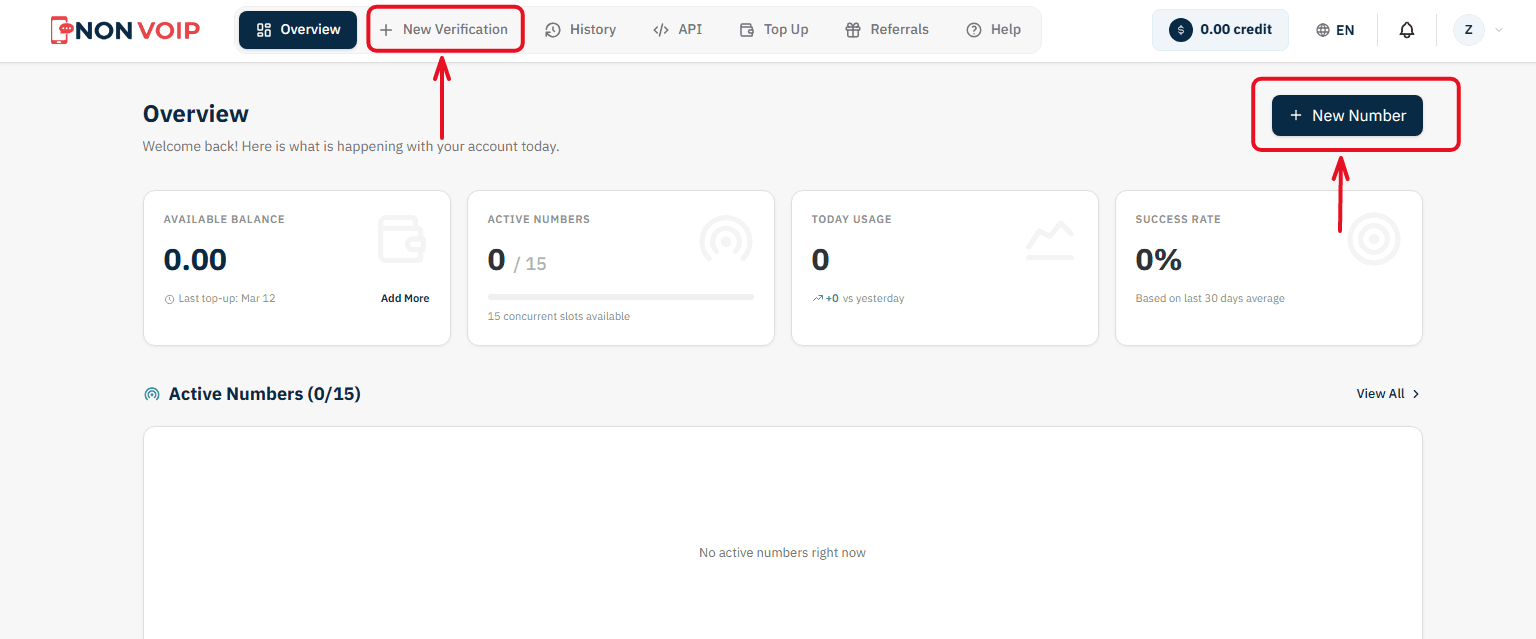
Start a New Order: From the main menu of the platform, click "New number" or click the "New Verification" button located in the top bar of the dashboard.
Select a Service: A list of available applications will appear. Search for and select "eBay".
(You can click the star icon next to it to add it to your "Favorites" list for quick access later).Select Country: From the list of supported countries, choose the United States.
Select a Server: The platform will display several available servers for this service (e.g., Server 1, Server 2). Each server details the cost, validity period, and support for additional features like reuse. Choose the server that fits your budget.
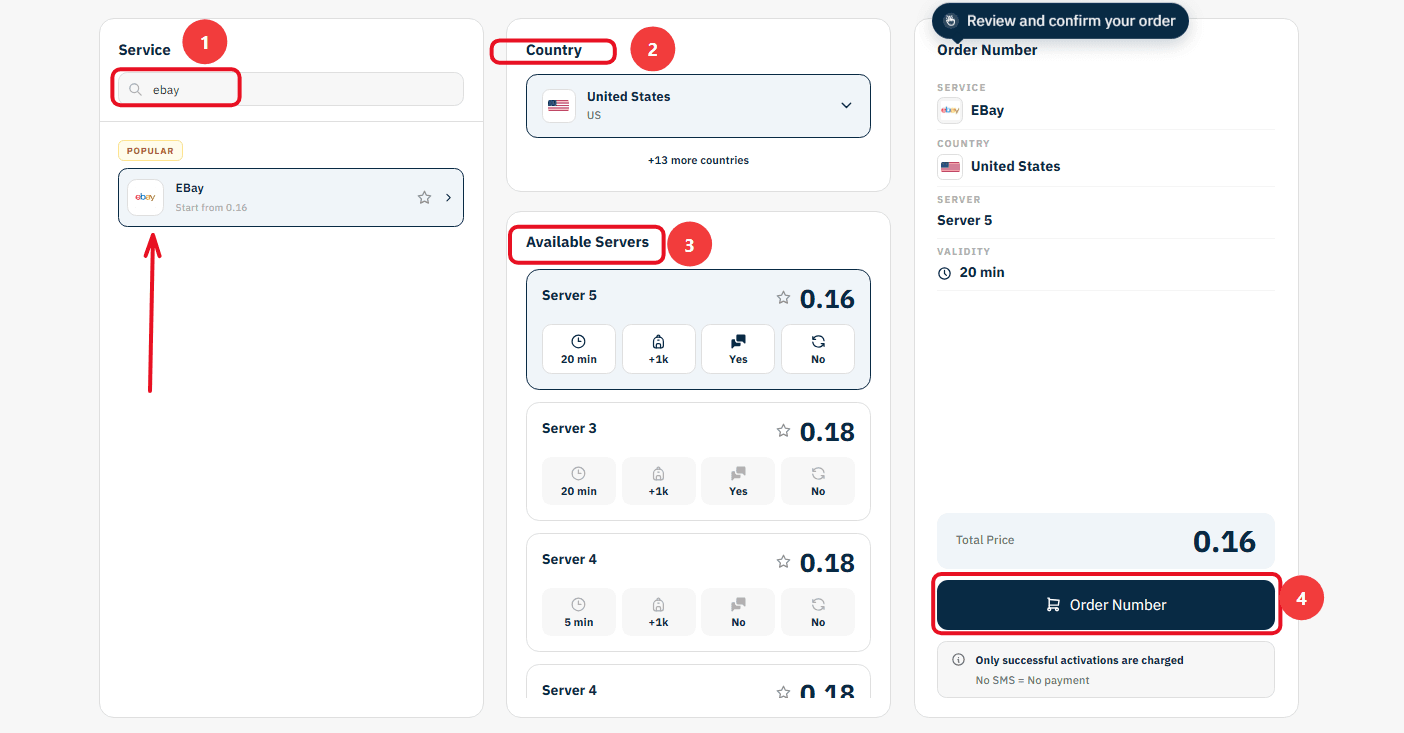
Confirm the Order: On the right section, you will find a comprehensive summary of your order. Review the details, then click "Order Number" to immediately allocate a real US number to you and start the waiting session.
Stage 2: Activating the Number in eBay
Now you are ready to link the number to your new account:
Open eBay on your phone and start the steps to create a new account.
Copy the phone number displayed on the order card on the Non-VoIP platform and paste it into the phone verification field inside eBay.
Return directly to the platform's dashboard and monitor the order card; you will see a timer showing the remaining time under the status "Awaiting SMS".
Once the eBay activation code arrives, it will appear immediately in the "SMS Message" field. Copy the code and enter it into the app to complete the process successfully.
Important Note: The platform offers absolute financial transparency. You can manually cancel the number before the message arrives, and if the timer expires without receiving the code, the balance will automatically return to your account according to the "No SMS = No payment" policy, allowing you to try another server.
FAQ
Can you create eBay account without phone number?
Unfortunately, the answer is no. As it currently works, registering for an eBay account involves having to supply a phone number in order to get the verification code via SMS that you require to complete the sign-up.
Is it possible to skip the step where you need to specify a phone number when registering on eBay?
No, this process cannot be avoided. eBay employs phone number verification in accordance with its account protection measures. However, if you do not want to utilize your personal number, you have the option to utilize temporary real numbers from Non-Voip as an alternative.
Conclusion
Although eBay requires you to give them a phone number at registration, the Non-VoIP platform provides you with another option around this.
By following the steps above, you can create an eBay account without a phone number safely and effectively.
Read more about How to Create Yahoo Email Without Phone Number