You can successfully create a Proton Mail account without a phone number. The ideal solution is to use a US Non-VoIP number from the Non-Voip platform to receive your verification code (SMS OTP).
Since Proton Mail rejects virtual/fake numbers, a real SIM-based number is the only way to ensure absolute privacy and account stability without being banned.
What are the Features of Proton Mail?
Proton Mail is an advanced email service that prioritizes user security and privacy. The platform is strictly committed to protecting customer data from commercial exploitation, a claim backed by a clean record of never selling user data.
Once you have a verified Proton Mail account, you don’t just get email; you open a gateway to a suite of integrated security tools, including:
Encrypted VPN: To secure your internet connection.
Cloud Storage (Proton Drive): To keep your files safe from intruders.
Private Calendar: To manage your appointments with total confidentiality.
Read More: Learn how to create a Gmail account without a phone number.
Why Do Free Numbers Fail to Activate ProtonMail?
ProtonMail’s algorithms are highly capable of distinguishing the "digital footprint" of a phone number:
Virtual and Fake Numbers: These are detected and blocked instantly because they lack a real profile with major telecom carriers.
Leaked Numbers: Numbers found on free public websites are often "burned" (blacklisted), leading to your account being closed within 24 hours.
The Solution: A real Non-Voip number that appears to the system as a legitimate mobile line within the United States.
Steps to Create a Proton Mail Account Without a Phone Number
Follow these simple steps to get a verification number and activate your account:
Phase 1: Get a US Number
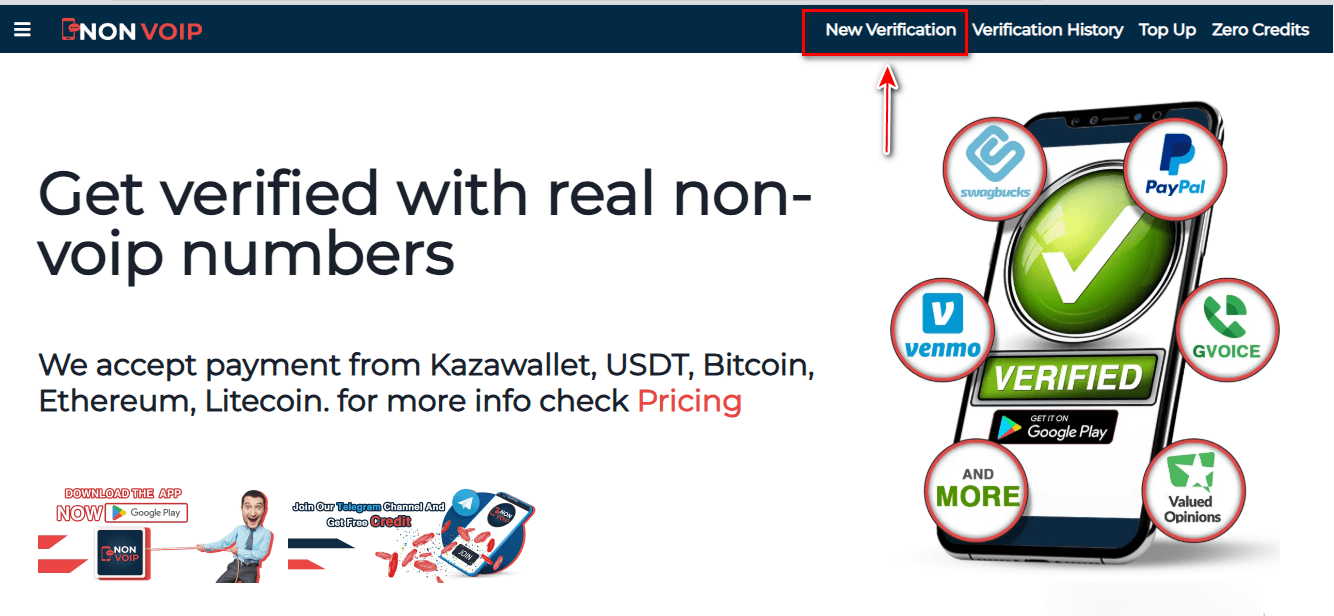
Go to the official Non-Voip website.
Log in to your account. (If you don’t have one, you will need to create a new one first).
Click on the “New Activation” section.
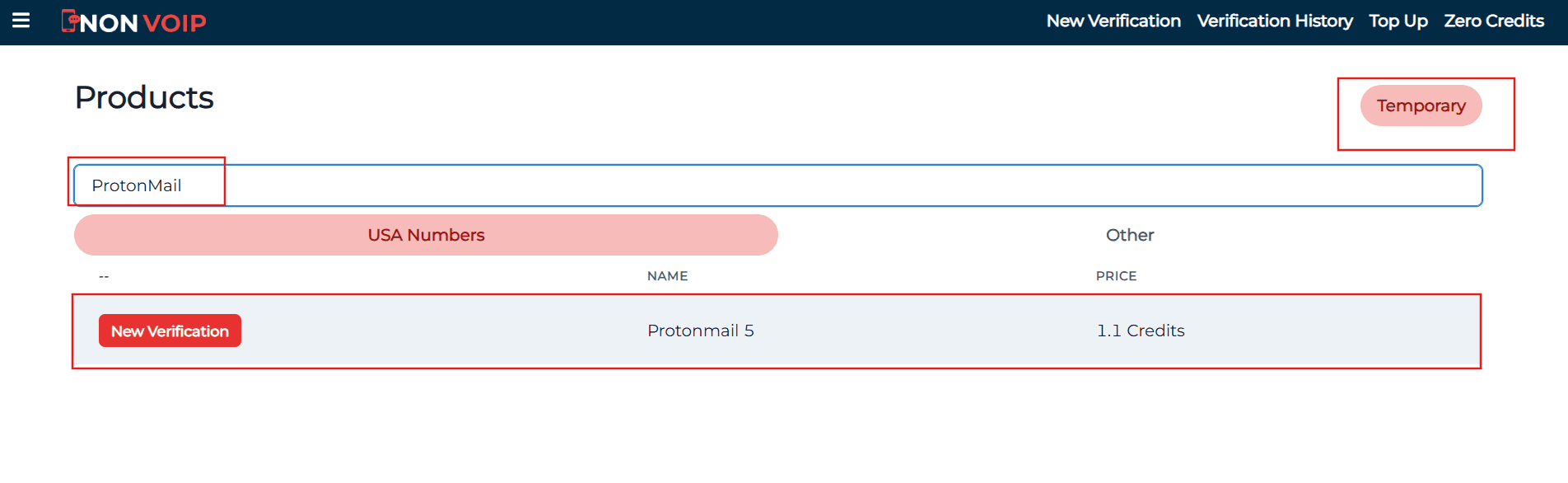
Use the search bar at the top, type “ProtonMail”, and hit search.
Click “New Activation” and follow the prompts to receive your number.
Phase 2: Activating the Account
Open Proton Mail and start the new account creation process.
Fill in the required basic information.
When you reach the phone verification step, paste the number you obtained from Non-Voip.
Return to your Non-Voip dashboard and wait a moment for the verification SMS to arrive.
Enter the code into the Proton Mail app to complete the process successfully.
Frequently Asked Questions (FAQ)
Why does Proton Mail ask for phone verification?
Proton Mail may request phone verification to prevent spam, abuse, and automated account creation by bots. This step helps the platform ensure that users are real people. However, using a Non-VoIP number allows you to bypass this hurdle without revealing your true identity.
Can I create a Proton Mail account without a phone number?
Yes, you can create a Proton Mail account without using your personal number. By using a real Non-Voip number from our platform, you can receive the code and complete registration while keeping your real number private.
Can I create multiple accounts using Non-Voip?
Yes, you can create multiple accounts by using different numbers from the platform. However, avoid aggressive or rapid registrations to reduce the risk of security restrictions on your accounts.
Conclusion
Creating a Proton Mail account without a personal phone number is the smartest decision for protecting your data. Don't compromise your privacy with fake numbers that put your email at risk. Start professionally with Non-Voip and enjoy the full, secure features of ProtonMail with total peace of mind.