You can successfully create a line account without a phone number in 2026. The safest way is to use a real U.S. phone number from the "Non-VoIP" category through the Non-VoIP platform.
Since LINE uses advanced systems to detect fake accounts, using a real SIM-based number is the only way to receive the verification code and ensure your account stays active without getting banned.
Why Create a LINE Account Without a Personal Number?
LINE is more than just a chat app; it is a platform for messages, calls, stickers, and extra services like news and games. Many people prefer to activate it using an external number for several reasons:
Privacy Protection: Avoid linking your real identity and call history to local telecom companies.
Access International Features: Some stickers and features are only available for users with specific numbers, such as U.S. or Japanese numbers.
Work-Life Balance: Create multiple accounts for business without needing many physical SIM cards.
Read more about How to Create Douyin Account Without a Chinese Phone Number
Why Does the App Reject Virtual Numbers?
If you try to use a number from a free app, you might face these issues:
Message Failure: The system knows the number is virtual and prevents the verification code from being sent.
- Instant Ban: Even if you sign up successfully, the system checks the quality of the number later. If it's found to be virtual, the account is banned immediately.
Professional Solution: Non-VoIP numbers appear in databases as real phone lines. This gives your account high trust and reliability with LINE's systems.
Steps to Create a LINE Account Without a Phone Number
Follow these simple steps to get a number and activate LINE:
Stage 1: Get a Real US Number
Go to the official Non-VoIP website.
Log in to your account. If you don't have one, create a new account first.
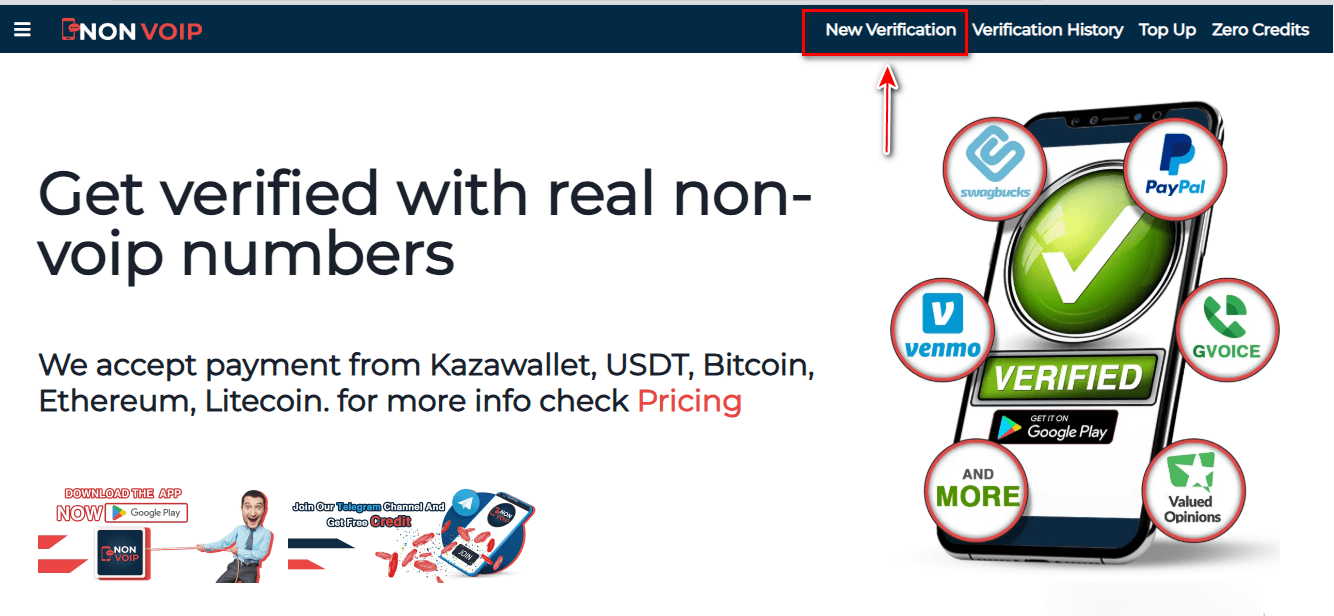
Click on the "New Activation" section.
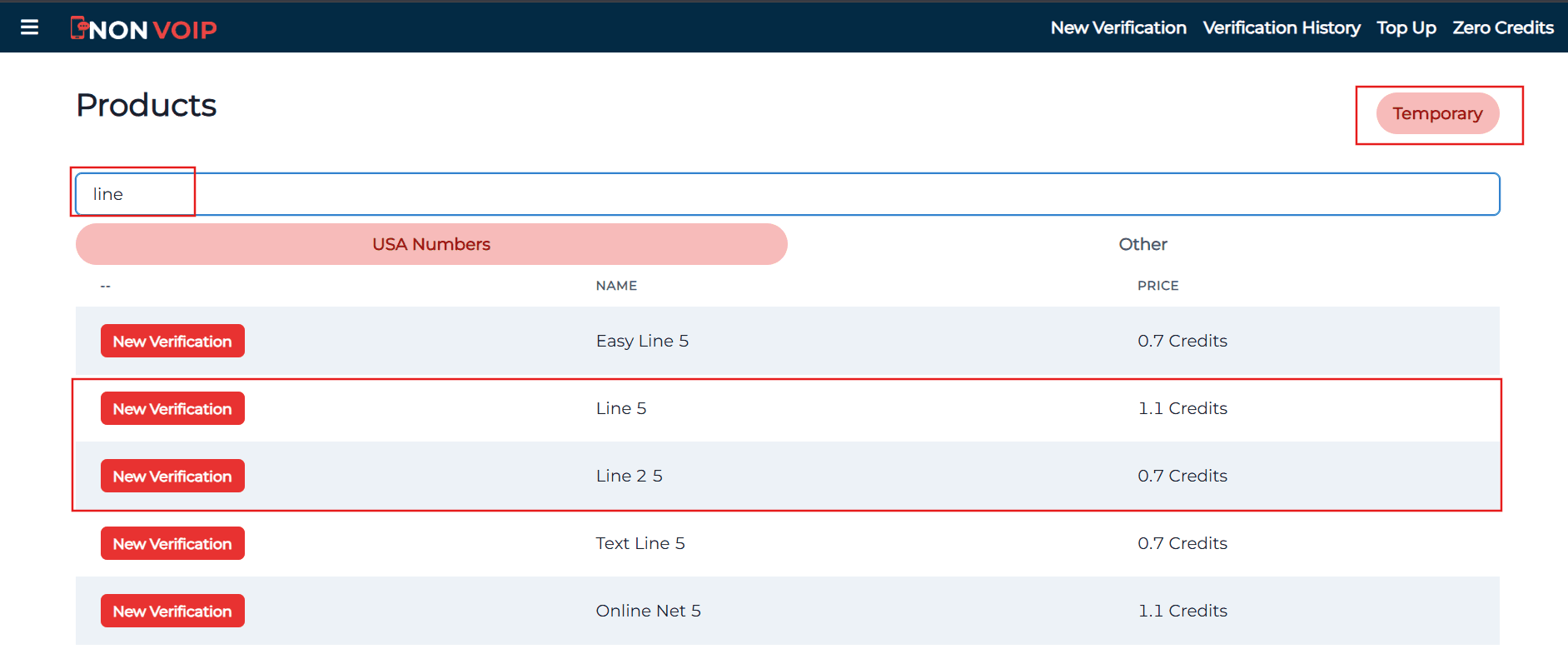
Use the search bar at the top, type "Line", and press search.
Click the "New Activation" button to get your number.
Stage 2: Activate Your LINE Account
Open the LINE app and start creating a new account.
Fill in your basic information.
When you reach the phone verification step, paste the number you got from the Non-VoIP website.
Go back to your Non-VoIP dashboard and wait a few moments to receive the SMS verification code.
Enter the code into the LINE app to finish the process.
Frequently Asked Questions (FAQ)
Do I need the number every time I open LINE?
No. This number is only needed for the first signup or when logging in from a brand-new device. We recommend linking your account to an email and setting a strong password so you can always log in without needing the number again.
Why are free numbers sometimes rejected?
Apps reject free numbers because they don't have a real profile with major telecom companies. Using Non-VoIP numbers increases your success rate to 100% because they are treated like real SIM cards.
What if the verification code doesn't arrive?
Non-VoIP platform offers an automatic refund. If the code doesn't arrive within a few minutes, you can cancel the request and get your balance back immediately to try another number. This ensures your rights are fully protected.
Conclusion
By using real Non-VoIP numbers, you don't just skip difficult registration steps; you also give your account stability. This protects you from the sudden bans that often happen with virtual numbers