To maintain your total privacy, you can activate Signal account using a US number from Non-voip. This method ensures you receive the verification code instantly and bypasses the blocks placed on virtual numbers, allowing you to use the app without linking it to your personal phone number.
What is Signal? Why Does it Require a Phone Number?
Signal is ranked as one of the most secure messaging apps globally, utilizing End-to-End Encryption. The app requires a phone number for one primary purpose:
- Authentication: To ensure the account is linked to a real user and to prevent automated (Spam) accounts.
- The Privacy Dilemma: Despite the app’s security, many users prefer not to link their digital identity to their permanent phone number to avoid appearing in others’ contact lists or to keep their communications strictly confidential.
Why Do Virtual Numbers Fail to Activate Signal?
Signal’s security systems are constantly updated to detect virtual (VoIP) numbers. If you are trying to use a free virtual number app:
- The verification code (SMS) may never arrive.
- You may receive an error stating that the number is invalid.
- Effective Solution: Use a Non-VoIP number, which is a real cellular line registered with US telecom carriers, guaranteeing instant acceptance just like any standard phone.
Steps to Activate Signal Account using a US Number
Follow these simple steps to obtain a US number and verify Signal account:
Phase 1: Obtain a US number
- Visit the official Non-VoIP website.
- Log in to your account (or create a new one).
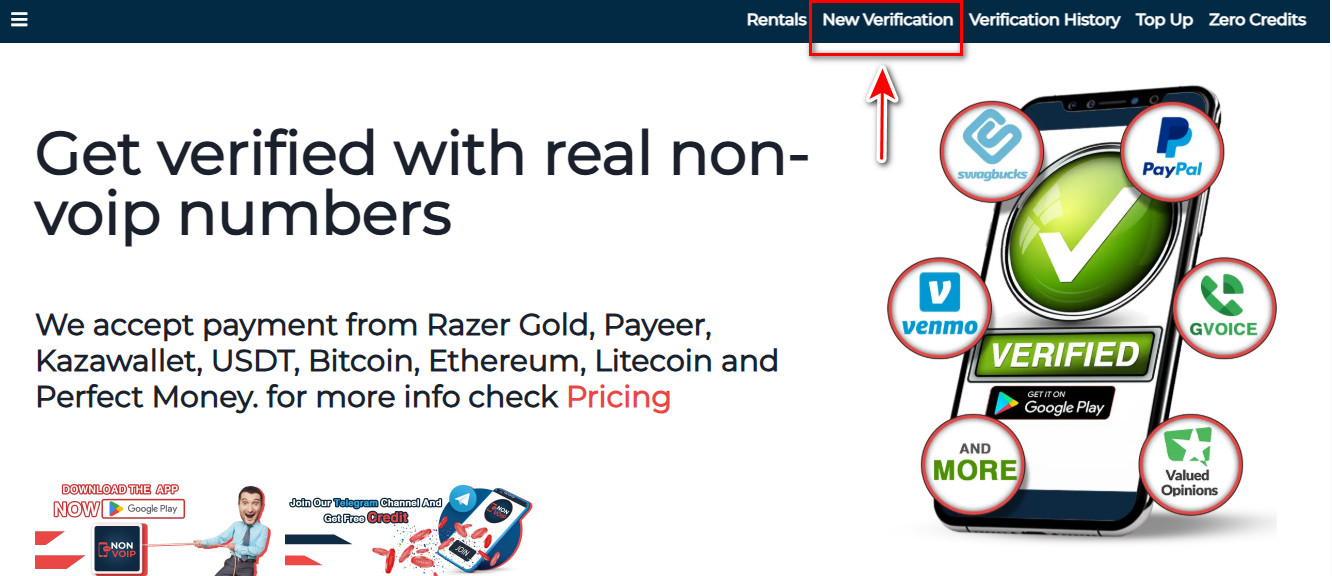
- Click on the “New Activation” section.
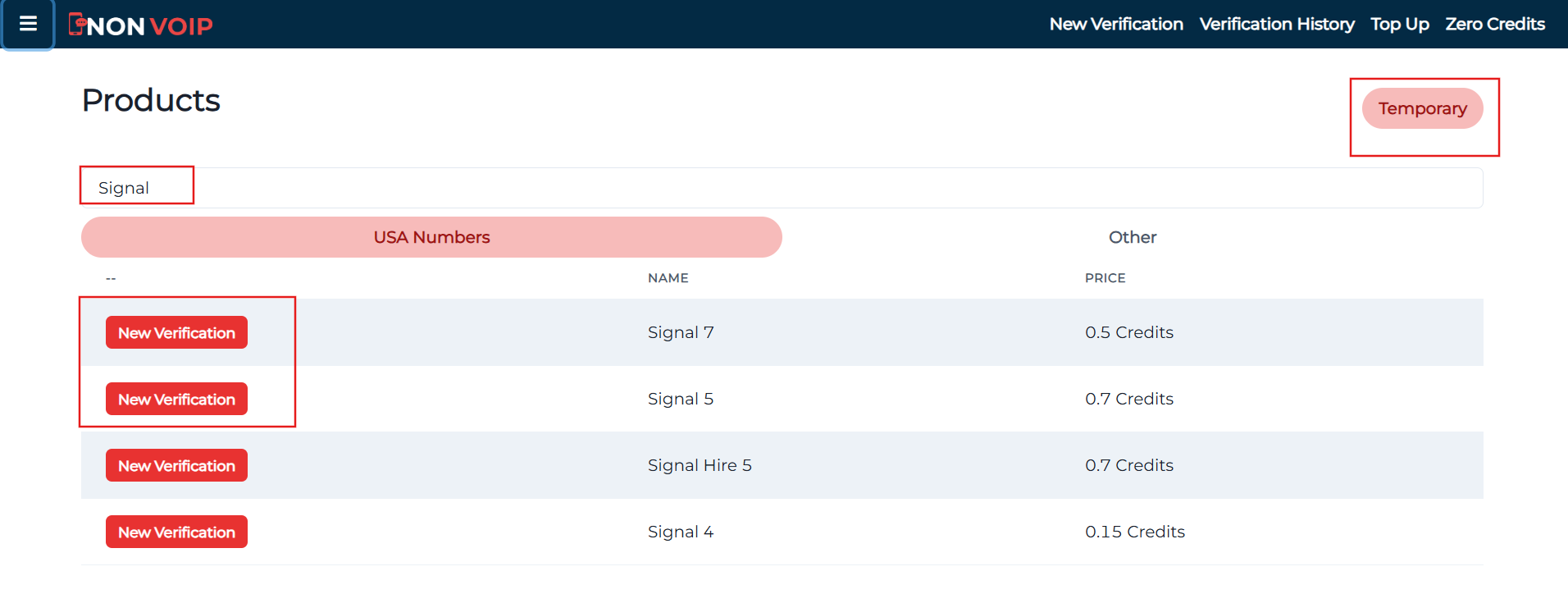
- Use the search bar to find “Signal” and hit search.
- Click the “New Activation” button and follow the prompts to receive your dedicated US mobile line.
Phase 2: Activate Signal Account
- Open the Signal app and begin the account creation process.
- Fill in the required basic information.
- When you reach the Phone Verification field, paste the number you obtained from Non-VoIP.
- Immediately return to your Non-VoIP dashboard and wait a few moments for the verification code to appear.
-
Enter the code into the Signal app to successfully complete the process.
Frequently Asked Questions (FAQ)
1. Can I use the Signal account after the temporary number expires?
Yes. Once the account is activated, it continues to function normally. However, we strongly recommend enabling the “Registration Lock” feature within Signal’s settings to ensure no one else can re-register with that number in the future.
2. What should I do if the code doesn’t arrive?
Non-VoIP features an Automated Refund System. If the code is not received within a few minutes, the transaction is canceled and the credit is instantly returned to your balance so you can try another number.
3. Do I need to use a VPN when activating with a US number?
It is always preferable for your IP address to match the country of the number to ensure a smooth process, but Non-VoIP numbers typically succeed in receiving codes even without a VPN.
Conclusion
Privacy is at the core of the Signal experience. Using a real non-VoIP number is the step that guarantees you benefit from the app’s features without sacrificing your personal data.