To successfully activate a Mailgun account using a US number, the platform immediately rejects software-based and virtual numbers (VoIP) to protect itself from automated accounts and the exploitation of mail servers for spam.
The correct solution requires using a real US Non-VoIP number backed by a physical SIM card to receive the verification code (OTP), easily pass the security inspection stage, and begin integrating the API with your project.
Benefits of Activating a Mailgun Account with a US Number
Using a real and independent US line to confirm your developer or business account provides multiple advantages:
Bypassing Verification Message (OTP) Delivery Obstacles: US lines guarantee the receipt of instant SMS verification messages from Mailgun servers without delays or blocks by local telecom companies.
Facilitating Account Integration with International Infrastructure: Accounts verified with US numbers are treated with higher levels of trust by monitoring systems, making it easier to connect domains and DNS servers.
Identity Separation and Project Management: It allows developers and startups to manage multiple Mailgun accounts for different clients without overlapping personal contact data with business accounts.
Why Choose Non-VoIP Numbers to Activate Accounts?
Tech platforms providing server and email services automatically inspect the number's infrastructure (Carrier Lookup) to verify the subscriber's identity.
This is where the core importance of Non-VoIP numbers to activate accounts lies.
These numbers are issued by real cellular network providers and rely on physical SIM cards, granting your account a High Trust Score and preventing your request from being classified as fraudulent, unlike virtual numbers that are rejected immediately.
Why Does Mailgun Reject Virtual (VoIP) Numbers?
Mailgun applies strict security standards to protect its server reputation (Sender Reputation) and prevent abuse in spam campaigns, rejecting VoIP numbers for the following reasons:
Preventing Server Exploitation for Spam: Automated bots use free virtual numbers to create fake accounts and send phishing emails, so this category of numbers is entirely blocked.
Automated Line Network Inspection: Mailgun's system analyzes the carrier type upon entering the number; if it turns out to be generated by an internet application or software, the registration request is canceled, and a regular cellular line is required.
Read more about VoIP vs. Non-VOIP Numbers
Steps to Activate a Mailgun Account Using a US Number
Follow these simple steps to get a US number to activate Mailgun:
Phase 1: Get a US Number
Visit the official Non-voip website and log in.
Top up your balance to start the process.
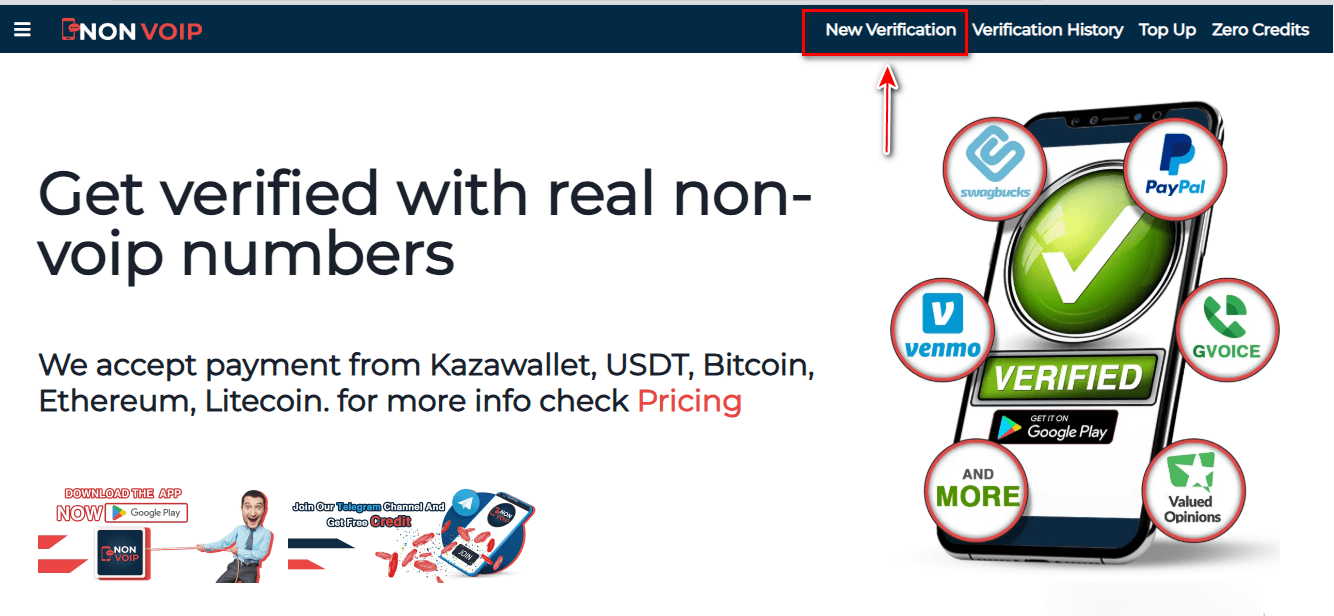
Click on the "New Activation" section of the site.
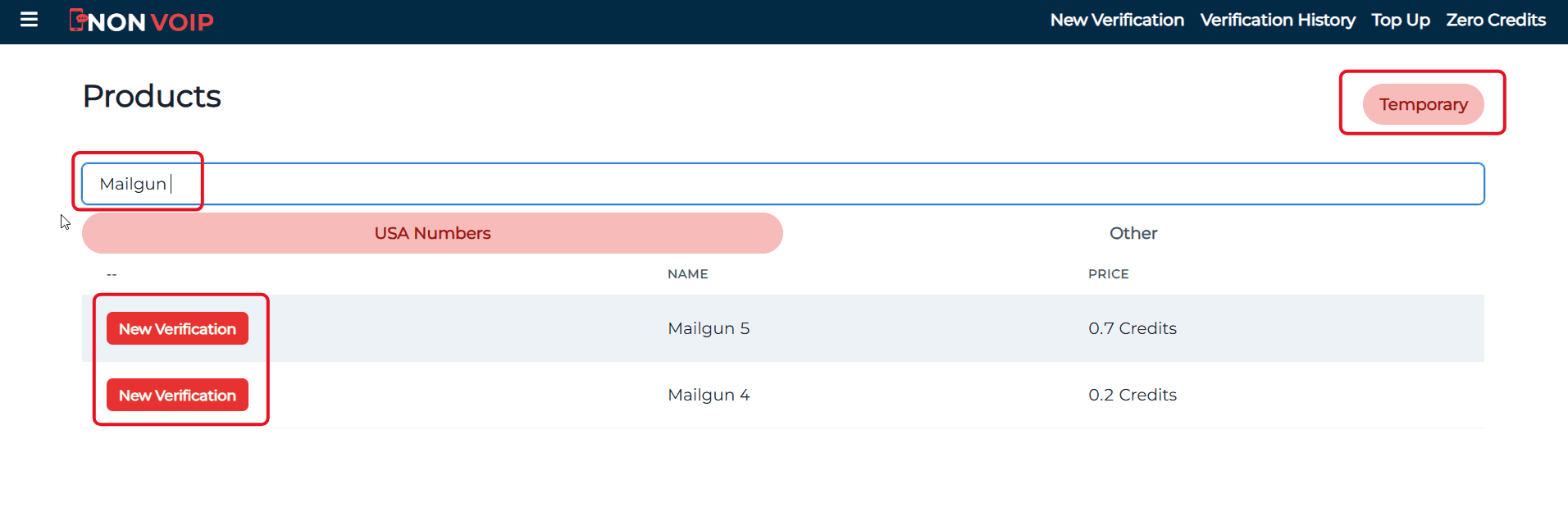
Use the search bar at the top, type "Mailgun", and press the search button.
Click the "New Activation" button and follow the instructions to receive your real US number.
Phase 2: Activating the Mailgun Account
- Open the Mailgun app and start the new account creation process.
- Fill in the required basic information.
- When you reach the phone verification step, paste the number you obtained from the Non-voip site.
- Return to your Non-voip dashboard and wait a moment for the SMS verification code.
- Enter the code into the Mailgun app to complete the process successfully.
Frequently Asked Questions (FAQ)
Why does the platform reject free numbers?
They lack reliability and are classified as high-risk in global financial protection systems.
Are Non-VoIP numbers real?
Yes, they are numbers linked to physical SIM cards rather than software-based ones, ensuring their acceptance on all sensitive platforms.
What if the code doesn't arrive?
The Non-VoIP platform guarantees your balance; you can cancel the request and receive an instant refund to try another number easily.
Conclusion
The successful launch of your email services and tech projects relies on a stable and ban-free foundation.
Relying on real US Non-VoIP numbers provides you with a reliable technical solution to bypass Mailgun's verification obstacles and start working on your application smoothly and securely.