To activate a JustDial account using a US number, you can use real Non-VoIP numbers from the Non-Voip platform.
As a massive business directory, JustDial rejects virtual numbers; therefore, using a real SIM-based line is the only way to receive your verification code and verify your business profile securely.
Why is Activating a JustDial Account with a US Number a Gateway to Business Growth?

JustDial is the largest local search engine in many Asian and international markets. Professional activation provides you with strategic features:
Lead Generation: Direct access to thousands of purchase requests and service inquiries daily.
Enhanced Digital Presence: Listing your business in a trusted directory improves your ranking on global search engines.
International Credibility: Having a verified account gives customers greater confidence in your services, especially when targeting international markets.
Read more about how to create a Gmail account using US number
Why Does JustDial Reject Free Numbers?
If you attempt to use a free virtual number, you will face several obstacles:
Digital Footprint Detection: The system immediately identifies that the number does not belong to a real telecom carrier and blocks the transmission.
Activity Verification Failure: Even if you manage to register, you will not be able to upload product photos or interact with customers because your account will be flagged as untrusted.
The Professional Solution: Using Non-VoIP numbers that are treated like real personal phones gives your account immunity against bans and ensures permanent stability.
Steps to Activate a JustDial Account Using a US Number
Follow these simple steps to get a US number to activate JustDial:
Phase 1: Secure Your US Number
Visit the official Non-voip website and log in.
Click on the "New Activation" section on the site.
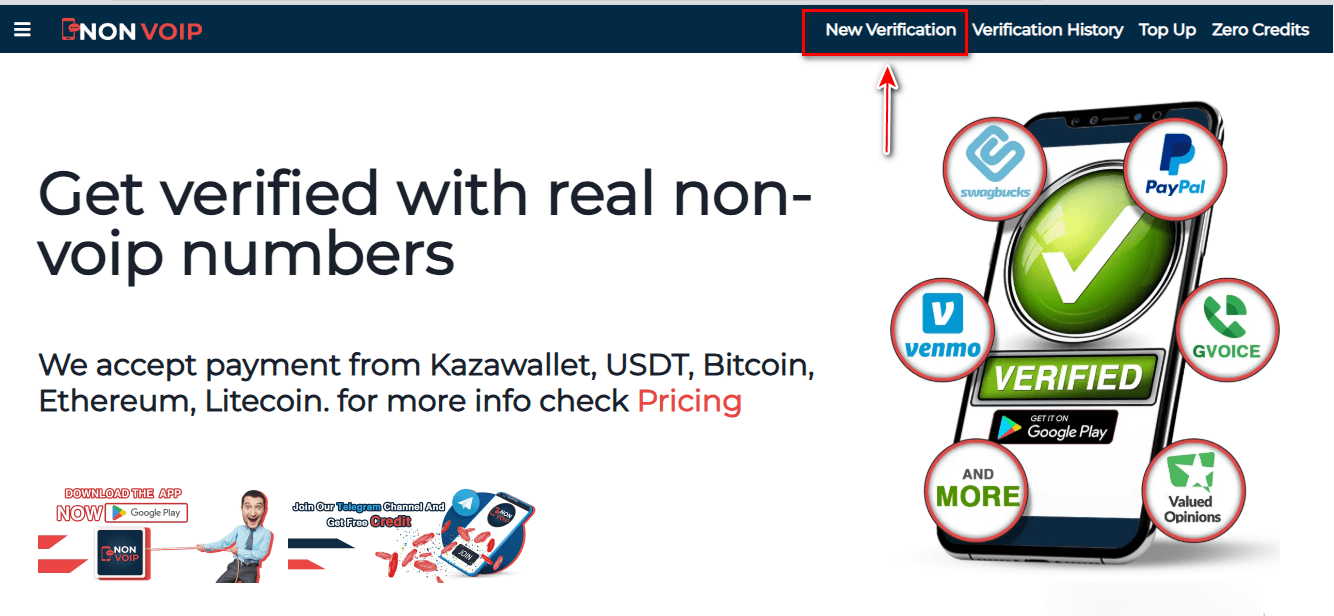
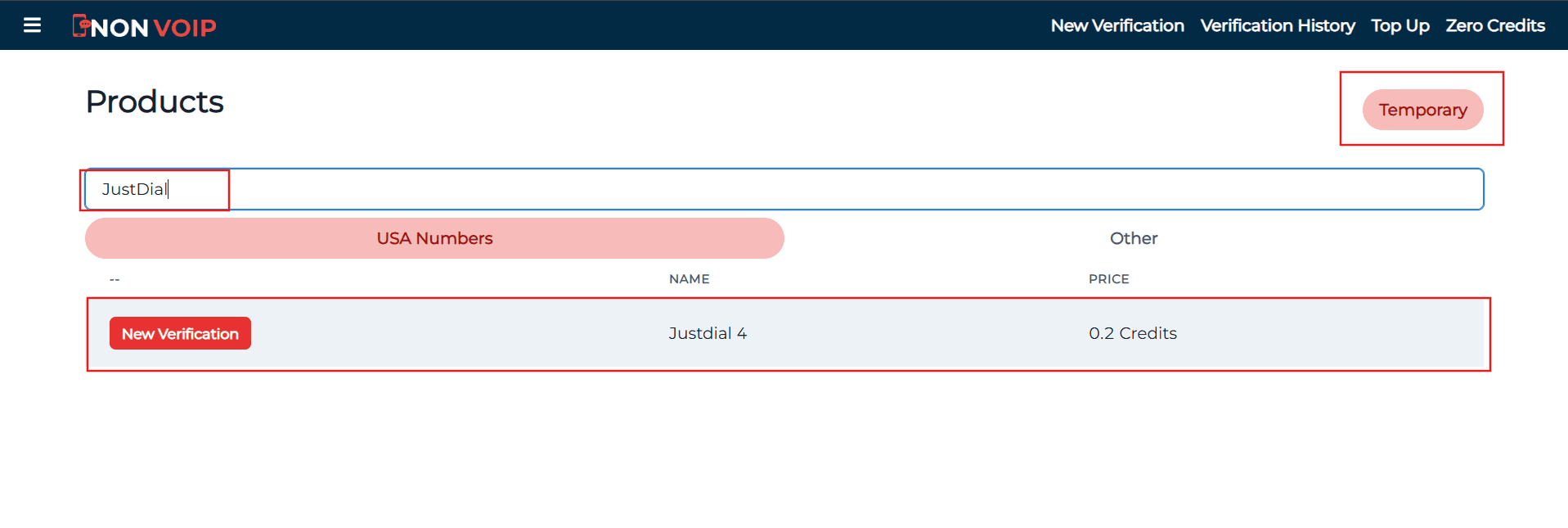
Use the search bar at the top, type "JustDial", and press the search button.
Click the "New Activation" button and follow the instructions to receive your real US number.
Phase 2: Activating the Account
Open the JustDial app and start the new account creation process.
Fill in the required basic information.
When you reach the phone verification step, paste the number you obtained from the Non-voip site.
Return to your Non-voip dashboard and wait a moment for the SMS verification code.
Enter the code into the JustDial app to complete the process successfully.
Frequently Asked Questions (FAQ)
Can I use my JustDial account from anywhere in the world?
Yes, once the account is activated with a real number, you can manage it from anywhere. We only recommend using a stable internet connection to ensure no security issues occur during login.
Why does the platform reject virtual numbers?
The platform rejects these numbers because they are often used for fraud and spam. Relying on Non-VoIP numbers ensures the platform knows you are a real user.
What if the code does not arrive?
Non-Voip platform guarantees an automatic refund. If the code is not received within a few minutes, you can cancel the request and use the balance to try another number immediately without any financial loss.
Conclusion
Activating a JustDial account with a US number is the first step toward expanding your business and reaching thousands of customers.
Do not compromise your company's credibility by using virtual solutions that could lead to your business account being closed.
Start professionally with Non-Voip and ensure your strong, secure digital presence.