At the Non-VoIP platform, we fully understand that protecting your data and balance is just as important as the quality of the numbers we provide.
Therefore, the Dashboard is equipped with advanced security tools that give you absolute control over your account and user experience.
In this guide, we will explore how to manage your account on Non-VoIP to ensure the highest levels of security and privacy.
How to Manage Your Account on Non-VoIP
You can easily access your account control options by clicking on your profile icon (which bears the first letter of your name) located in the top corner of the platform.
A drop-down menu will appear containing quick access options such as: Transaction History, Notifications, Settings, and Support.
1. Security & Active Sessions
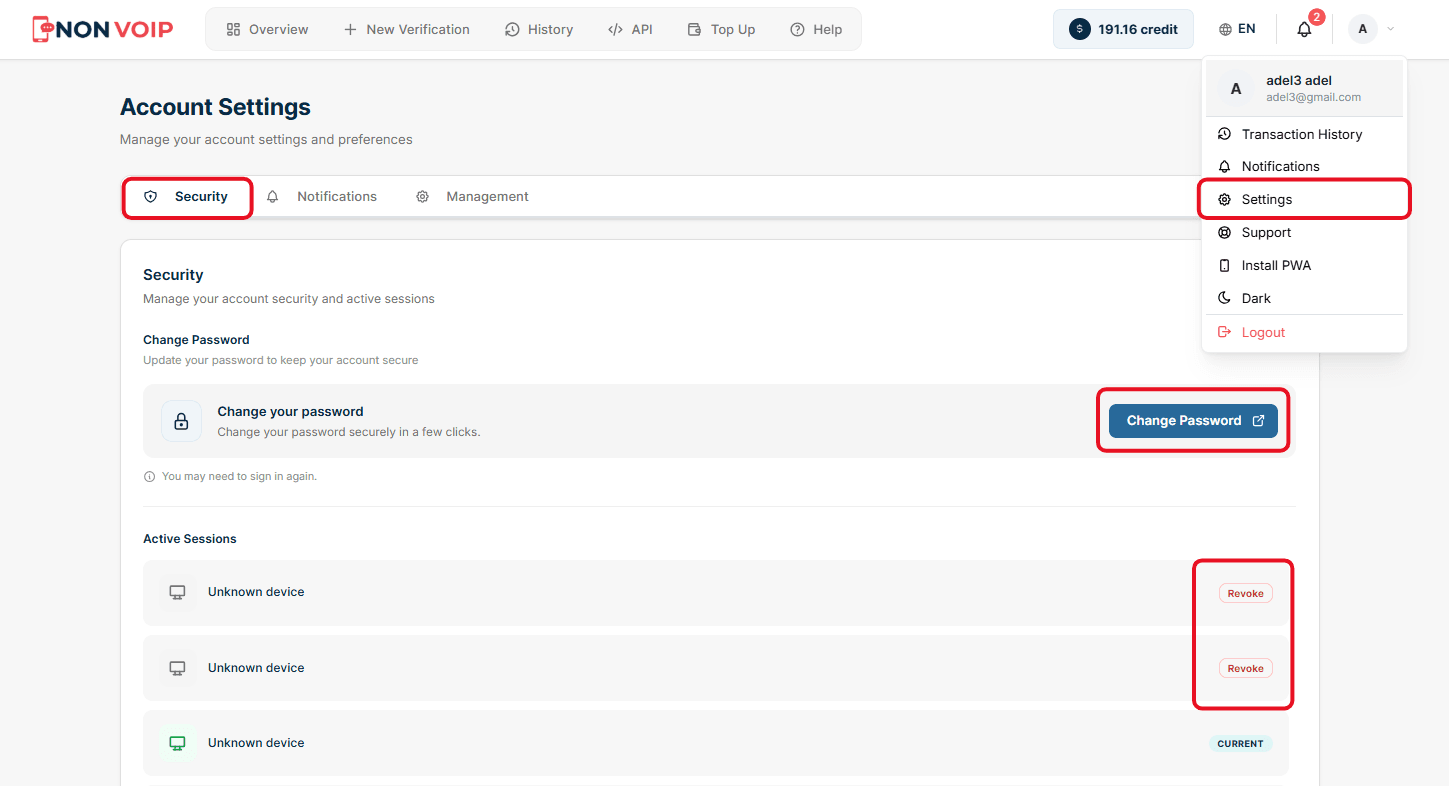
Upon entering the Settings page, you will find the "Security" tab, which is the first line of defense for your account.
Change Password: You can update your password with just a few clicks. It is recommended to change your password periodically to protect your balance and data.
Active Sessions: This security feature allows you to monitor all devices and browsers connected to your account in real time.
If you notice any unfamiliar device or a session you did not initiate, you can simply click the red "Revoke" button to terminate that session and instantly log the device out of your account.
(Note: Active Sessions here differ from the "Active Numbers" you use to request verification codes).
2. Real-Time Notifications System
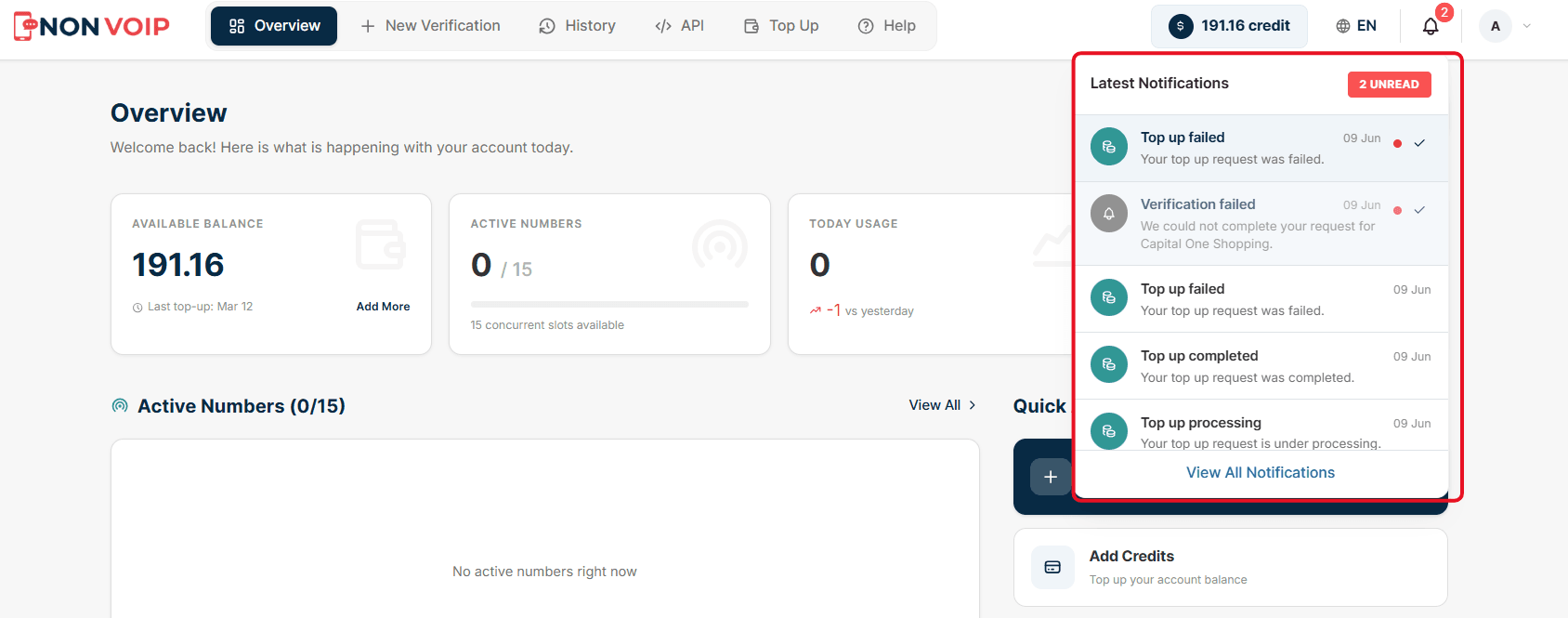
To ensure you do not miss any updates regarding your numbers, the platform provides an instant notification system. You can access it by clicking the "bell" icon in the top bar. Notifications help you track the status of your orders accurately, alerting you when:
The number is ready for use (Number ready).
Verification is completed, and the code has arrived successfully (Verification completed).
The number's validity has expired, and the code did not arrive (Verification expired).
The balance has been refunded.
3. Privacy and Delete Account
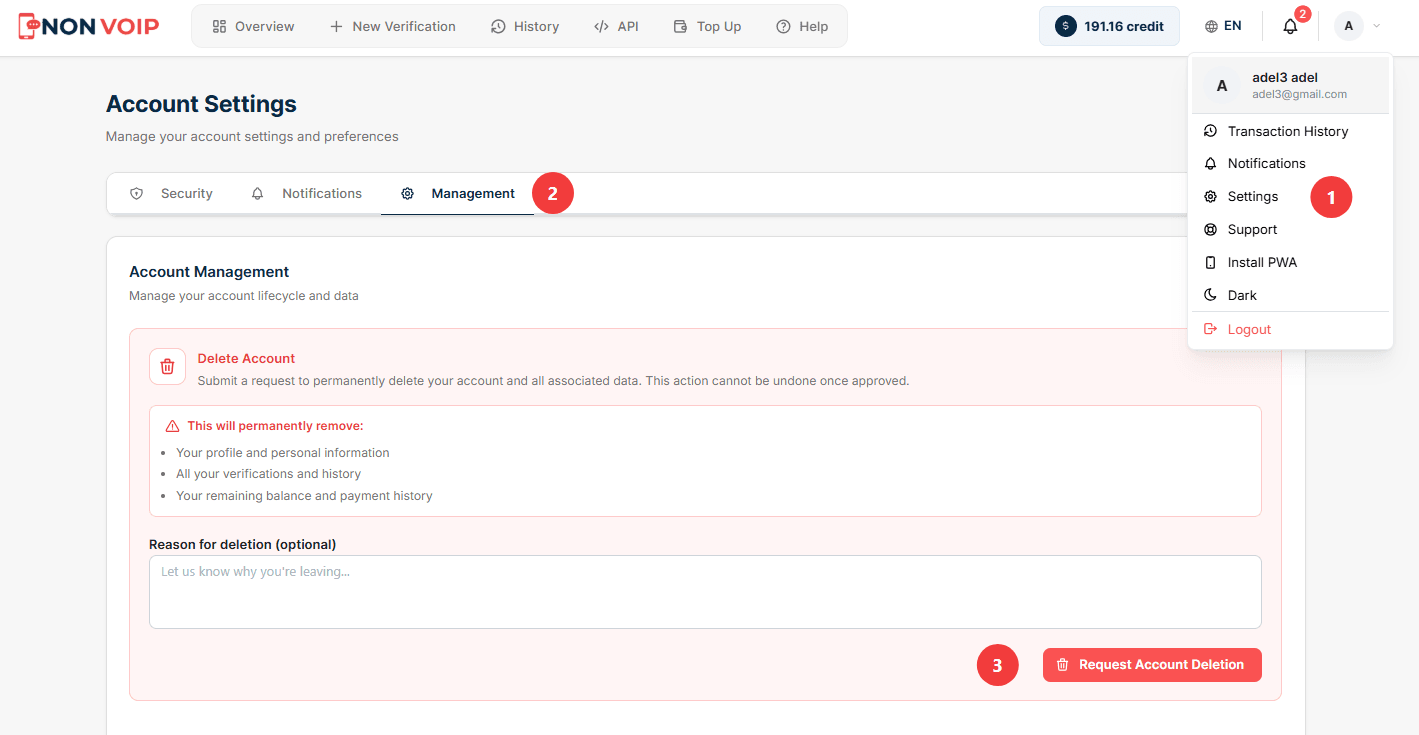
If you decide to stop using the platform's services, the Settings section provides an explicit option to permanently delete your account (Delete Account).
This action will irreversibly erase all your data and records from the platform's servers.
Conclusion
Managing your account on the Non-VoIP platform is designed to be intuitive and secure.
By monitoring the devices connected to your account, utilizing real-time notifications, and securing your data, you can fully focus on verifying your accounts and managing your business with complete confidence.