The Non-VoIP platform offers secure and flexible payment options that ensure you can top up your Non-VoIP account using crypto quickly while maintaining your privacy.
Paying via Cryptocurrencies is one of the most popular and effective methods, especially with the variety of supported coins and networks.
What is Non-VoIP, and what are its key features?
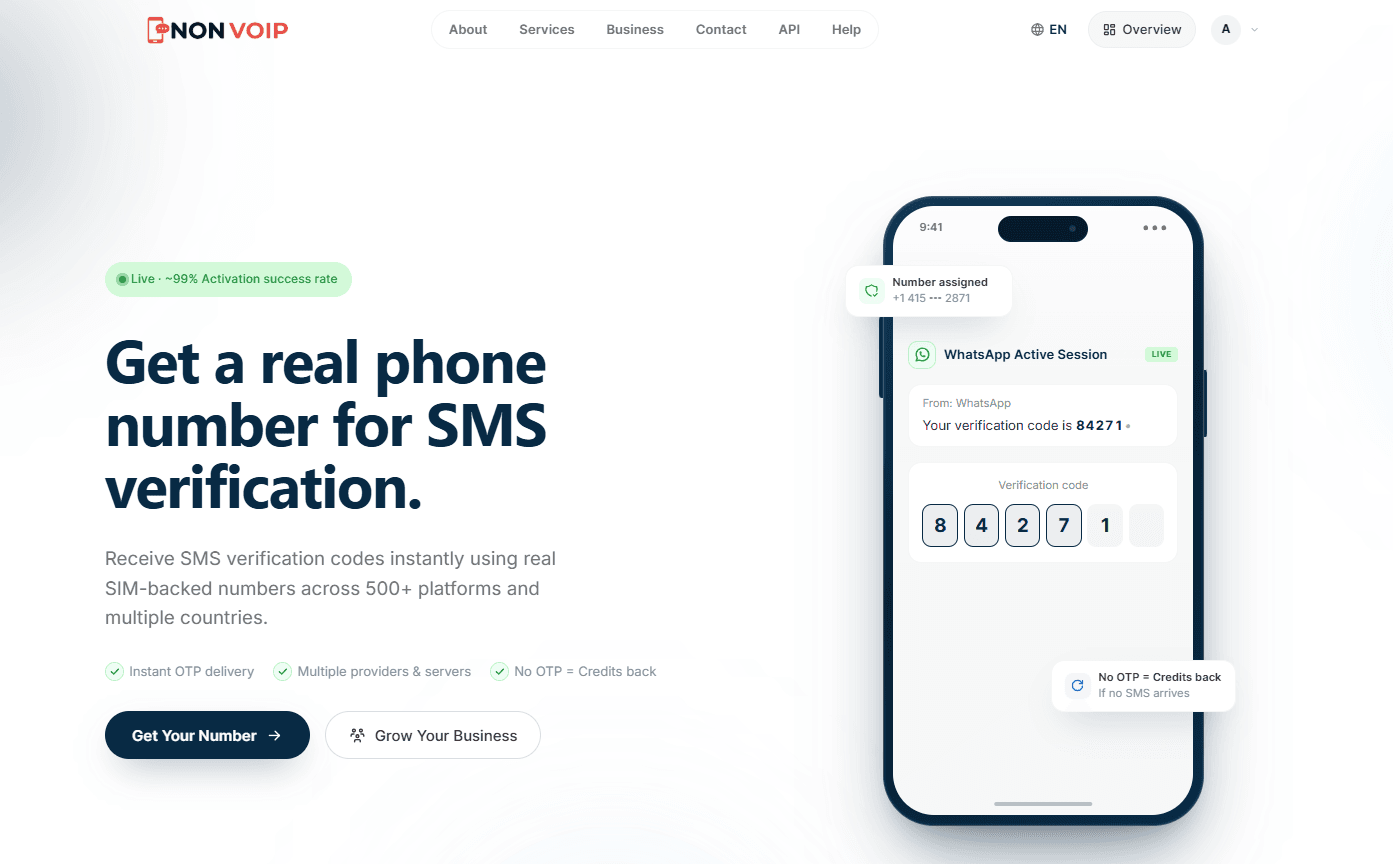
Non-VoIP is an online platform that offers real phone numbers from over 50 countries, such as the United States and the United Kingdom.
The website caters to individuals and businesses seeking flexible solutions for services requiring real phone numbers for account activation.
The website stands out as a practical tool in a world increasingly reliant on number verification.
Individuals can use it to create new accounts on platforms like TikTok and PayPal, while those working in online surveys find it an effective way to increase productivity.
Steps to top up your Non-VoIP account using crypto
After learning how to top up your balance via Kazawallet, follow these steps to top up your Non-VoIP account using crypto:
Step 1: Choose the Payment Method and Package
Visit the official Non-VoIP website.
If you already have an account, log in. If you are a new user, create an account.
After logging in, go to the "Top up" page.
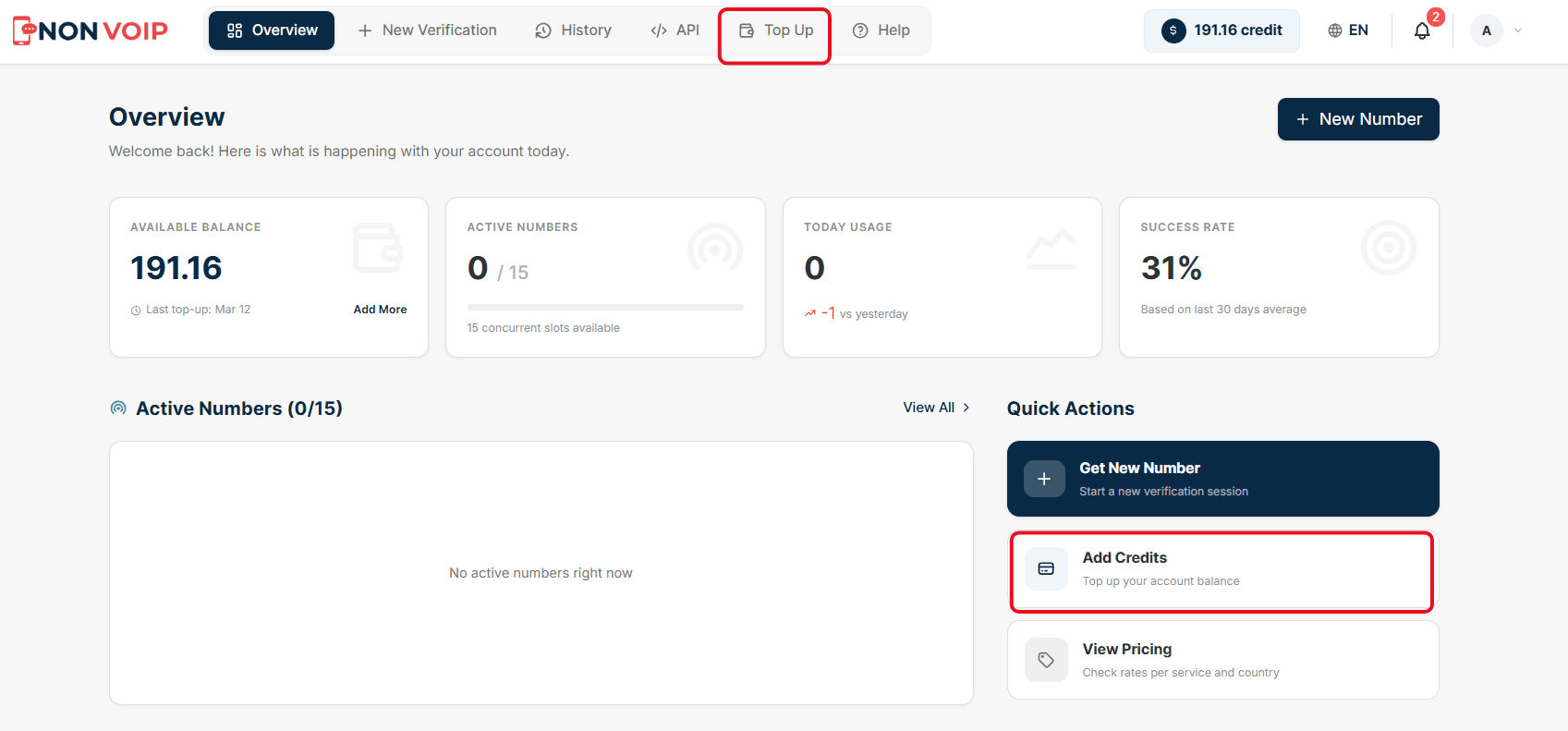
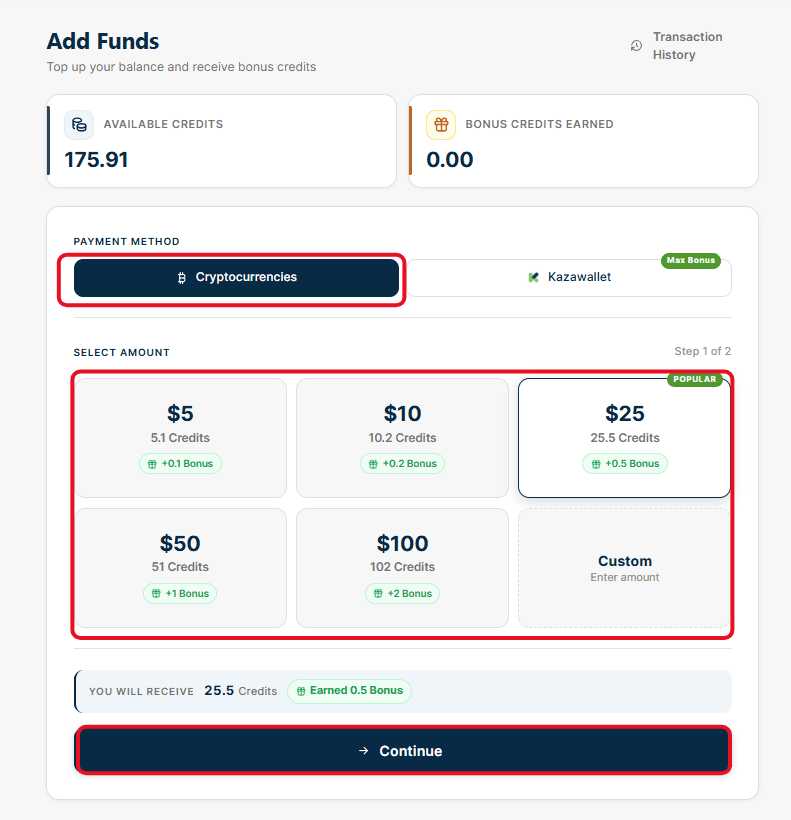
Select "Cryptocurrencies".
Choose the amount you want to top up from the pre-set packages (e.g., $25, $10, $50).
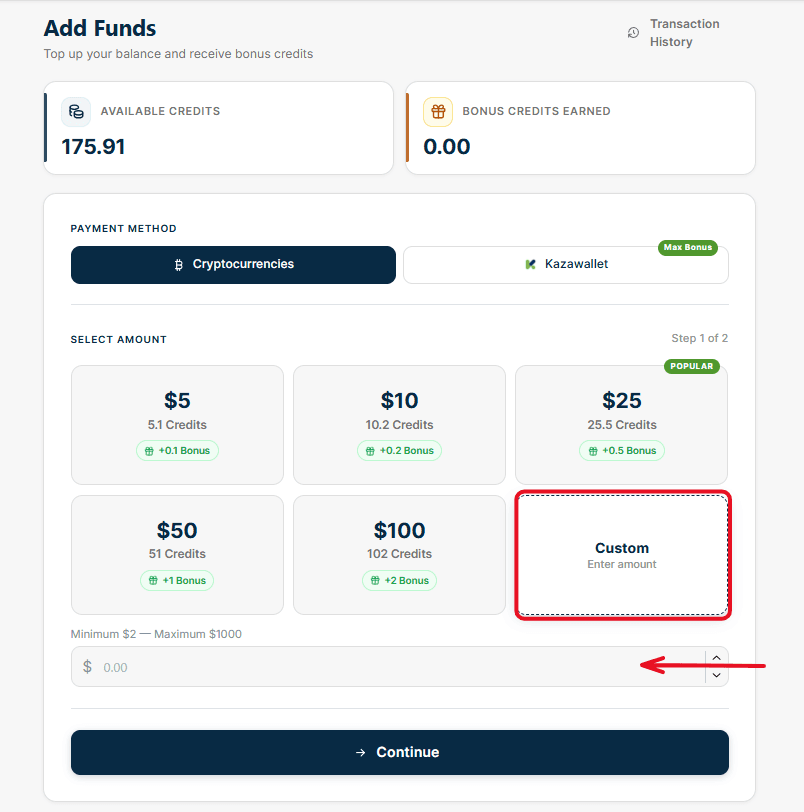
If you want to top up a specific amount not listed in the packages, select the "Custom" card and enter the amount manually in the box below (note that the system will display the free bonus you will receive with your package).
After making your selection, click the "Continue" button.
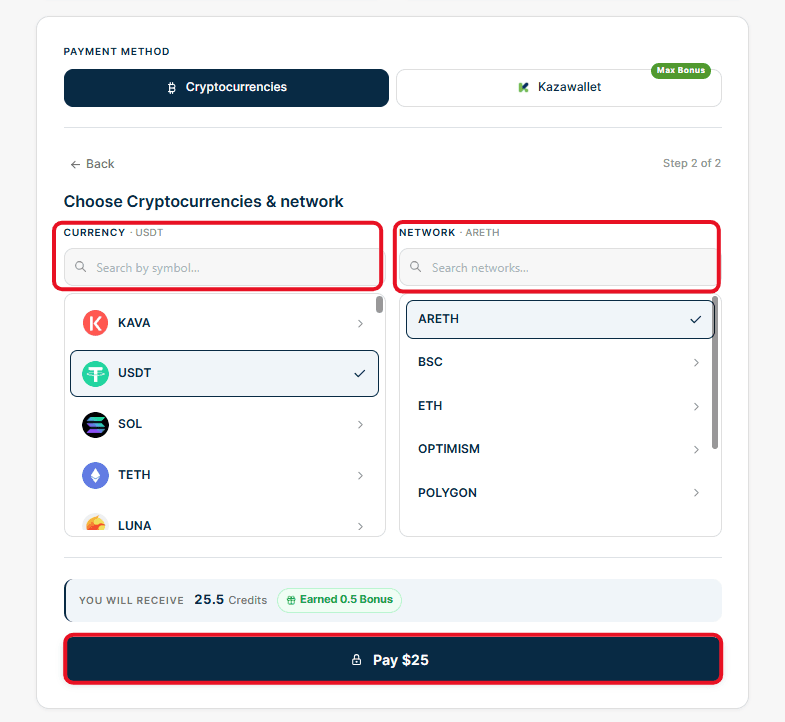
Step 2: Select the Currency and Network
In this step, you must select the type of cryptocurrency you will pay with and the network the transfer will go through. Accuracy here is absolutely essential to ensure the balance arrives.
From the right menu, choose the cryptocurrency (for example: USDT).
From the left menu, choose the network that matches your wallet (for example: Ton, Sol, Trx).
After ensuring the currency and network match, click the "Pay" button.
Step 3: Scan the QR Code and Complete the Transfer
A pop-up window will appear containing the final payment details. This window includes:
QR Code: For easy scanning via your wallet app.
Order ID: A unique identification code for the transaction.
Payment Address: The exact address to which the amount must be sent.
Required Amount: The exact amount that must be transferred.
A timer (usually 60 minutes) to complete the transaction.
Copy the "Payment Address" and paste it into your digital wallet, or scan the QR code, then send the amount accurately. Once the network confirms the transaction, the balance will automatically be added to your Non-VoIP account.
With this, you have topped up your Non-VoIP balance using Crypto in just a few simple steps, and you can now take full advantage of the site's services.
Important Note for Mobile Users
If you are using the Non-VoIP platform via your mobile browser, the interface design differs slightly to fit mobile screens.
Unlike the desktop screen that displays all options on a single page, the mobile interface relies on a Step-by-Step system to facilitate usability.
To see the exact details and layout of these steps while using a mobile device, we recommend watching the following explanatory video:
Important Notes (Payment Alerts)
To ensure your balance arrives smoothly and without issues, please pay attention to the following rules the system applies when matching the sent amount with the requested amount:
Sending less than the requested amount: If you create a top-up order for (e.g., $25) and transfer an amount less than this figure (e.g., $24), the system will automatically reject the transaction, and the balance will not be added to your account. In this case, you must immediately contact the technical support team to resolve the issue manually.
Sending more than the requested amount: If you create an order for (e.g., $25) but transfer a larger amount (e.g., $30), the system will successfully accept the transaction. The actual amount you sent ($30) will be fully added to your balance, and the "Bonus" will be calculated based on the larger amount received.
Sending the exact requested amount: This is the ideal scenario; the transaction will be accepted, and the balance and bonus will be added smoothly and without delay.
In conclusion
Thanks to the seamless method of topping up your balance in Non-VoIP using Crypto, along with the other top-up options the site provides, managing your account is easier than ever.
To avoid any delay in receiving your balance, always ensure that the amount you send from your wallet covers the network fees and exactly matches or exceeds the amount you requested on the Non-VoIP platform