To create Super account without phone number and access exclusive hotel and travel discounts without sharing your personal data, use a real US Non-VoIP number. This method bypasses virtual number blocks, ensures you receive the activation code instantly, and protects your privacy from intrusive marketing messages.
What is Super.com and Why Does It Need a Phone Number?

Super (formerly SnapTravel) is the premier platform for AI-driven exclusive travel deals. The app requires a phone number for several key reasons:
- Fraud Prevention: Ensuring the beneficiary is a real person and not a “bot.”
- Booking Confirmation: Send trip details and hotel vouchers via SMS.
- Account Security: Providing a recovery method if you lose access to your email.
However, many users prefer not to link their personal numbers to avoid marketing calls or to maintain their digital privacy.
Why is Non-voip the Ideal Choice for Super.com?
Unlike virtual number apps that are often blocked, Non-VoIP provides numbers from real cellular networks, offering you:
- 100% Acceptance: Super.com systems recognize the number as a legitimate mobile line.
- Absolute Privacy: Keep your travel and booked activities separate from your personal life.
- Cost-Efficiency: Activating your account for a small one-time fee with no expensive monthly subscriptions.
How to Create Super Account without Phone Number
To get a phone number to activate Super, it is divided into two simple stages to ensure a smooth experience:
Stage 1: Get Your Verification Number
- Go to the official Non-voip website.
- Log in with your existing account details. If you don’t have an account, you’ll need to create one first.
- Click on the “New Activation” section on the site.
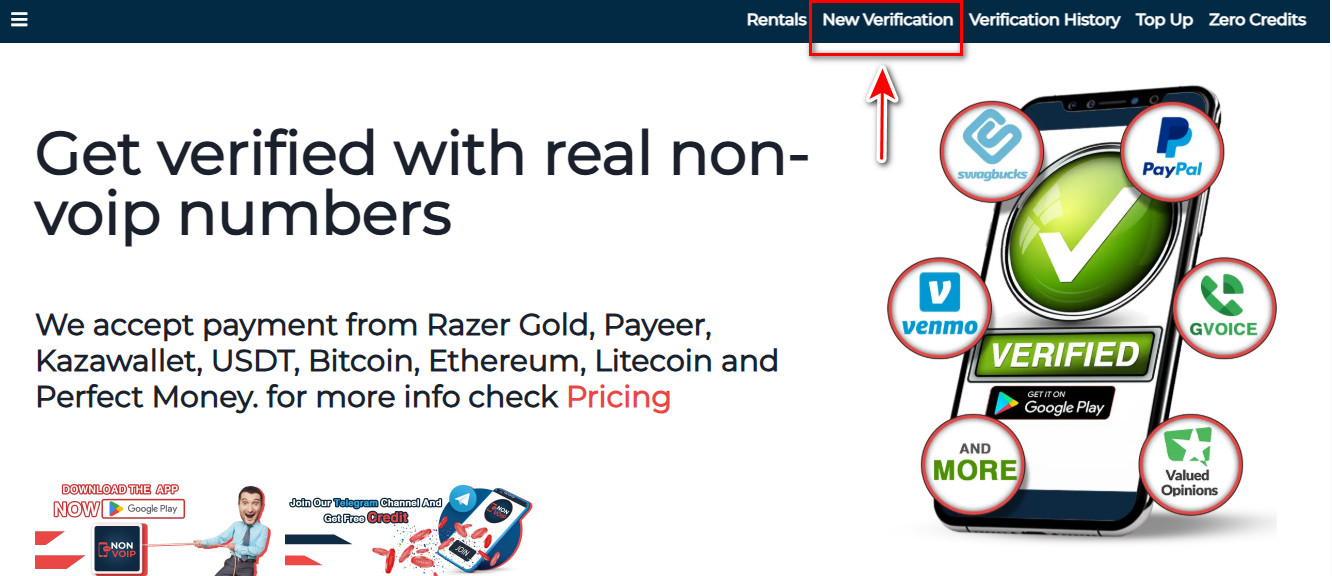
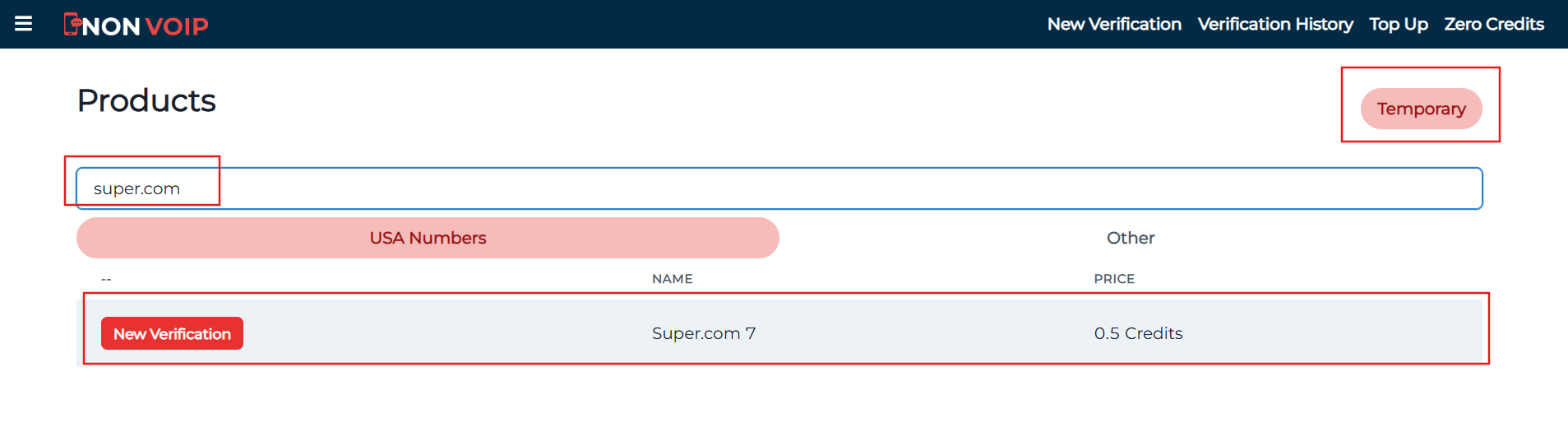
- Use the search bar, usually found at the top of the homepage. Type “Super.com” and press search.
- Click the “New Activation” button. Follow any additional on-screen instructions to complete the process.
Stage 2: Create Super.com Account
- Open Super.com and begin creating a new account.
- Fill in your name and email address.
- When you reach the phone verification step, paste the number you obtained from the Non-voip website.
- Go back to your Non-voip dashboard; you will find the activation code has arrived. Copy it and enter it into the Super.com app.
Frequently Asked Questions (FAQ)
1. Can I use a free number to activate Super.com?
Unlikely. Super uses advanced security systems that detect and reject virtual (VoIP) numbers. Non-VoIP numbers are the only ones guaranteed to receive the code.
2. Will I need the number after completing the booking?
In most cases, booking confirmations are also sent via email. Therefore, a temporary number is sufficient for creating the account and accessing deals.
3. What should I do if the code doesn’t arrive?
Non-VoIP features an Automated Refund System. If the code is not received within 15 minutes, the process is canceled, and the credit is instantly returned to your balance so you can try another number.
4. Can I activate other accounts using the same method?
Absolutely. You can follow these same steps to activate Netflix, Amazon, or any social media platform that requires a real mobile number.
Congratulations!
You have successfully created a fully functional Super.com account without needing to use your personal phone number.
You can now browse the best deals and book your upcoming trips with complete confidence, all while maintaining your privacy.