To successfully create Happn account without phone number, you must use a real non-VoIP number. Free numbers scattered across the internet will trigger immediate account bans.
The definitive solution is to use the Non-VoIP platform to guarantee receiving the activation code (SMS OTP) in seconds, successfully bypassing the verification step while fully protecting your privacy.
Why You Should Think Twice Before Using Your Personal Number?
When an app asks for your phone number, it’s asking for more than just a way to verify your account.
Your personal number is a key to so many parts of your life: your bank accounts, social media, and your contacts with family and colleagues. Linking it to a dating profile can open you up to unnecessary risks:
- Losing Control of Your Privacy: Once you share your number, you can’t fully control how it’s used or who it might be shared with down the line.
- Unwanted Calls and Messages: Your number could become an easy target for scammers or other users who don’t respect your boundaries after a conversation ends.
- Security Risks: If the app ever has a data breach, your phone number could be exposed, making you vulnerable to phishing and fraud attempts.
This is where Non-VOIP solutions come in, giving you a way to verify your accounts while keeping your privacy intact.
The Difference Between Real Numbers (Non-VoIP) and Free Numbers
To successfully bypass phone verification, you must understand this fundamental technical difference:
How to Create Happn Account Without Phone Number
Follow this organized strategy to create Happn account safely and effectively:
1. Get a US Number
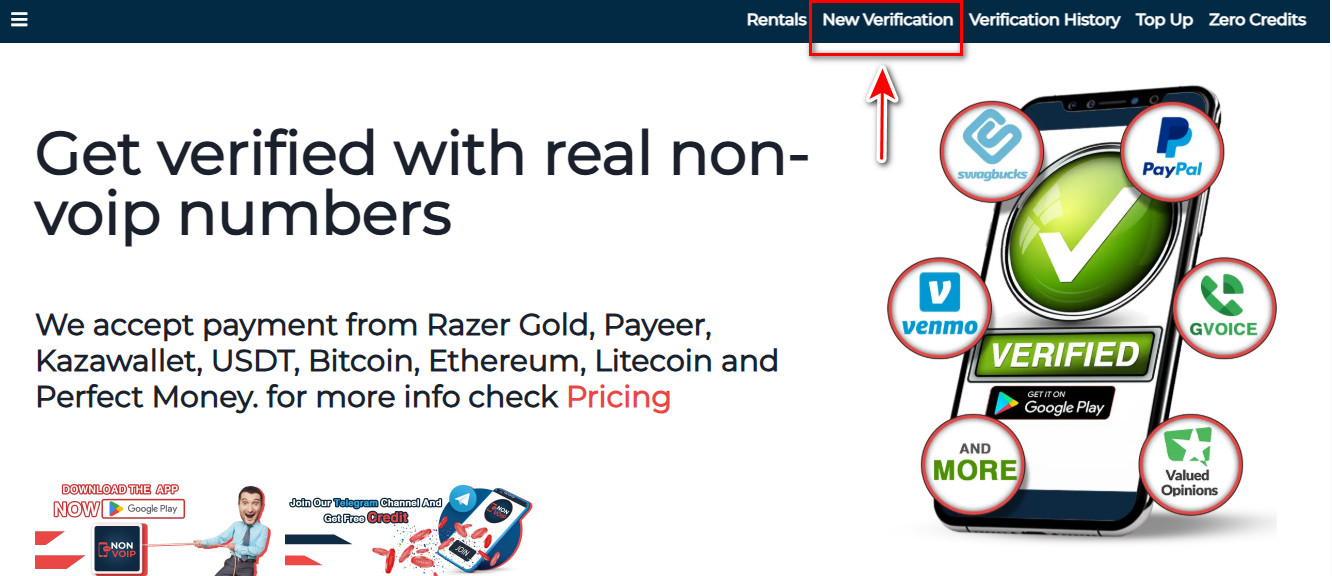
- Go to the official Non-Voip website. You’ll need to log in or, if you’re new, create an account first.
- Navigate to “New Activation” on the site.
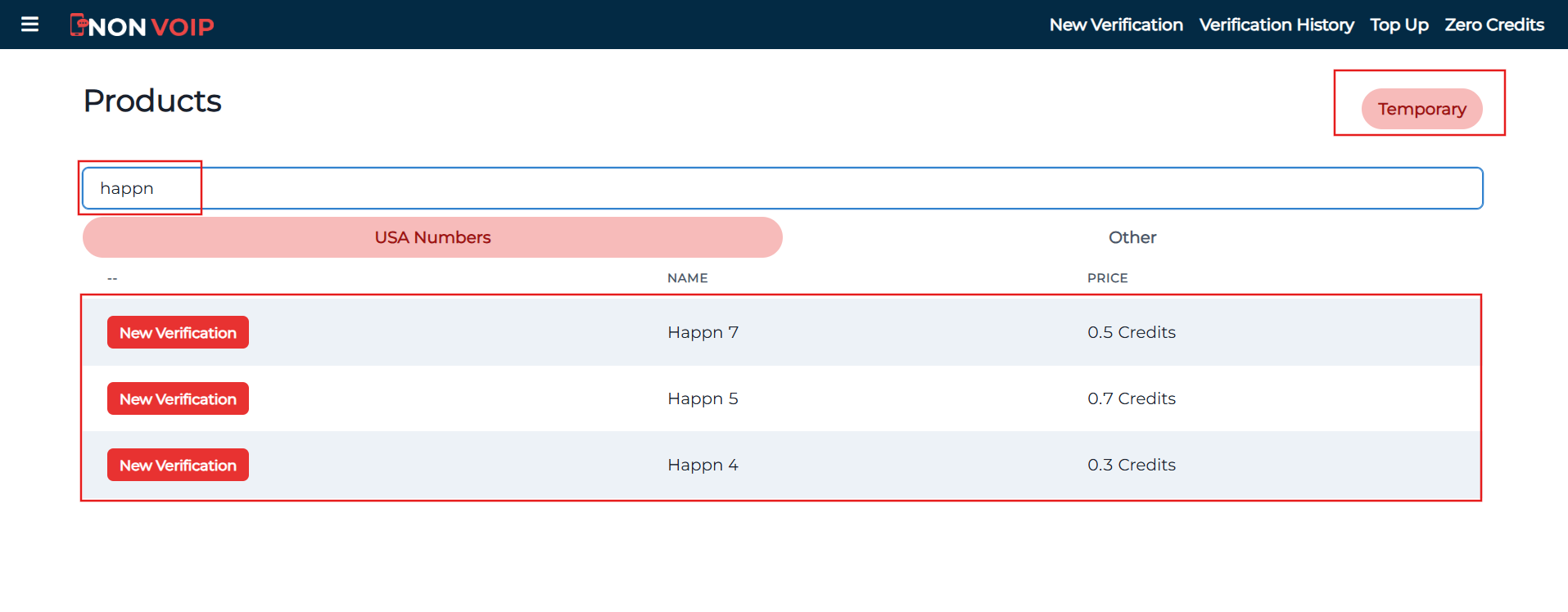
- Use the search bar to find “Happn”.
- Select the type of number you need (e.g., temporary for 15 minutes, 3 days, or a month) and click “New Activation”.
2. Start the Registration on Happn
- Start the registration on Happn using a dedicated email address for this account.
- At the phone verification step (if prompted), use your Non-voip number. Copy the number from the Non-voip dashboard and paste it into the designated field in the app.
- Complete the verification by entering the code that will instantly arrive on your Non-voip dashboard.
Frequently Asked Questions (FAQ)
Will the number be taken away from me later?
No. The numbers we provide are dedicated for individual use only. This ensures your account remains secure and no one else can log into it in the future.
Can I use free apps just to try Happn?
No. Free numbers are a trap designed to harvest your data. Using them will result in a complete hardware and IP ban from using the app (Shadowban).
Is this method truly secure?
Yes. Using real numbers issued by actual telecom carriers is the legitimate and only way to bypass verification without exposing your data to risk.
Final Thoughts
And that’s it! By creating your Happn account without phone number, you get to enjoy the full experience of the app with total peace of mind, knowing your personal number is safe from prying eyes.
Go ahead, explore, connect, and build new relationships with confidence and complete control over your digital footprint.
Read more: Create Coffee Meets Bagel Account Without Phone Number 2025