Can you truly open a Chime account without a U.S. phone number? The answer isn’t a simple yes or no. The solution lies in understanding Chime’s strict verification mechanisms and finding effective alternatives to satisfy this essential requirement.
In this article, we will show you how to create Chime account without phone number by leveraging reliable Non-VOIP services, all while ensuring full compliance with the account’s legal usage terms.
What is Chime?
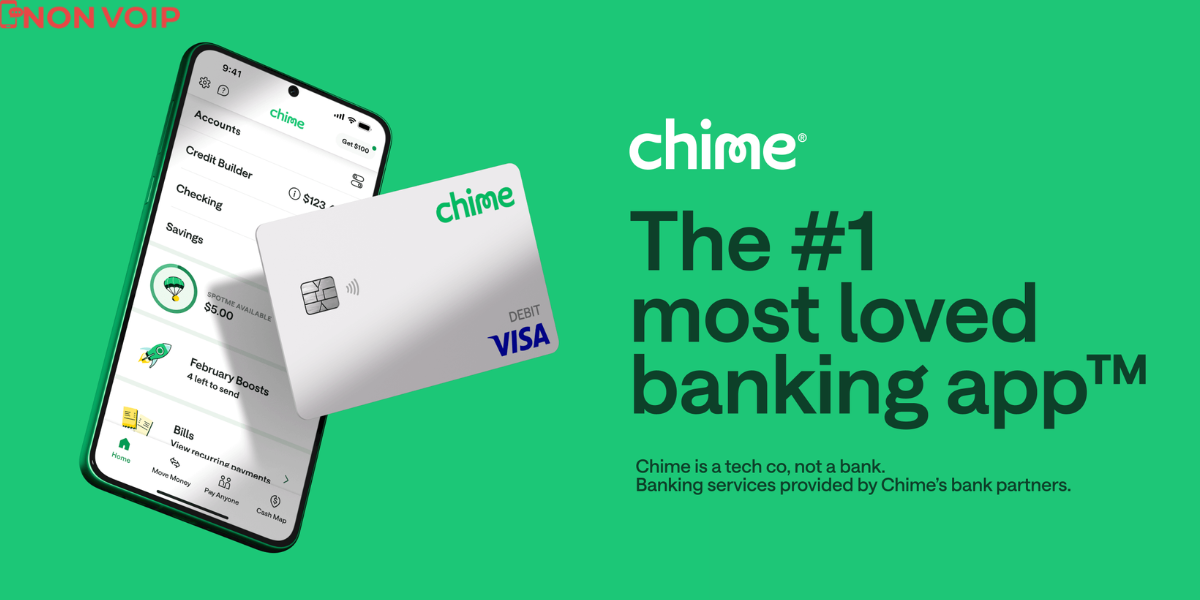
Chime is a leading financial technology company that operates as a modern banking app.
It allows users to easily manage their checking and savings accounts via a smartphone, offering zero monthly fees and features focused on simplifying daily financial transactions.
Key Features of Chime:
- No Monthly Fees or Minimum Balance: You can open and use the account and card without fixed costs or minimum balance requirements.
- Early Direct Deposit: Enables users to receive their paychecks up to two days early via the direct deposit feature.
- Debit Card and Secured Credit Builder: The card is issued in partnership with U.S. banks (Bancorp and Stride Bank) and can be used everywhere Visa is accepted.
- Fee-Free Overdraft Protection (SpotMe): Provides overdraft coverage for everyday purchases up to a certain limit without charging any fees.
- Automatic Savings: Offers an interest-bearing savings account with the option to automatically transfer a portion of every purchase from checking to savings.
- Secure Interface and 24/7 Live Support: Provides advanced account security and round-the-clock live human support.
- Not a Traditional Bank: It is a FinTech company that collaborates with licensed banks to provide banking services.
Is It Possible to Create Chime Account Without Phone Number?
No, you cannot open a Chime account without phone number at all, but you can open an account without your personal phone number.
The only way to successfully open the account without using your own number is by relying on trusted solutions, such as temporary numbers from a Non-VOIP service.
These services mimic traditional phone numbers, allowing you to successfully receive the SMS verification code required to complete the registration process.
How to Create Chime Account Without Phone Number
The steps to activate Chime account using a Non-VOIP number involves two main phases:
Follow these simple steps to acquire a phone number to activate an Chime account:
Stage 1: Buying the Number from Non-VoIP
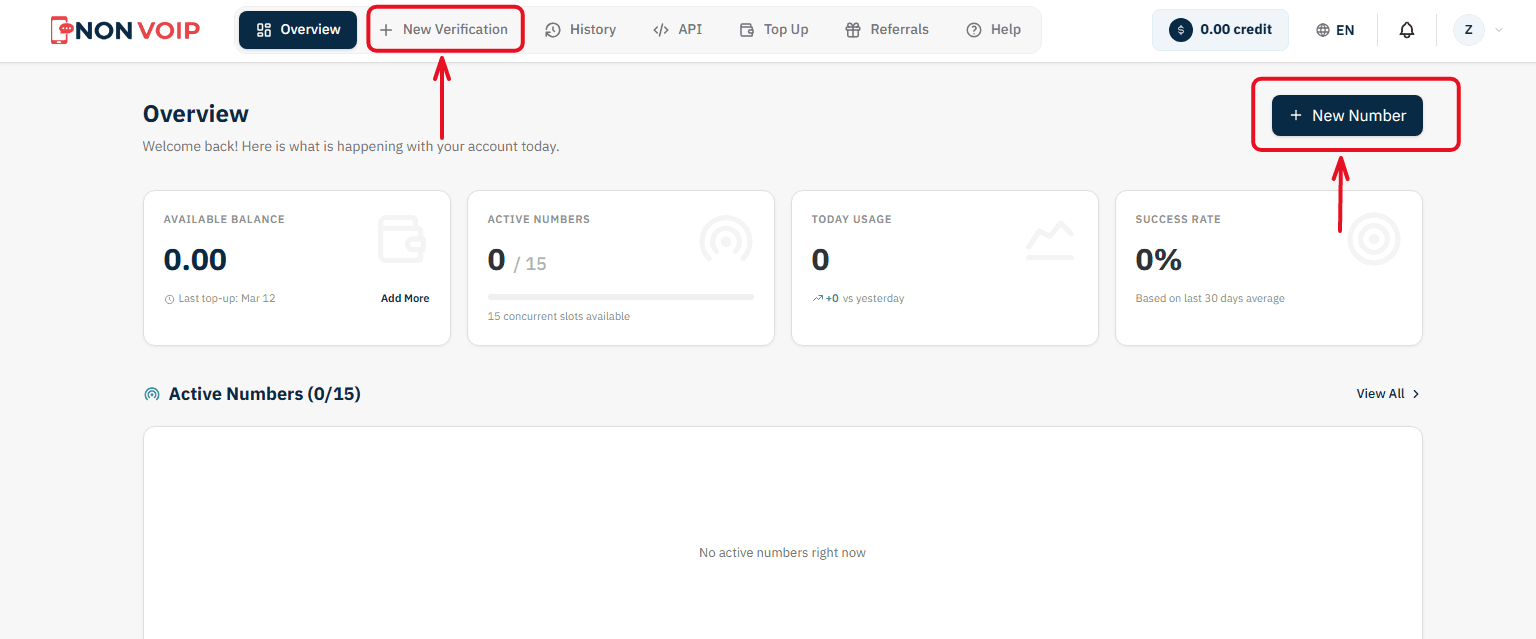
Start a New Order: From the main menu of the platform, click "New number" or click the "New Verification" button located in the top bar of the dashboard.
Select a Service: A list of available applications will appear. Search for and select "Chime".
(You can click the star icon next to it to add it to your "Favorites" list for quick access later).Select Country: From the list of supported countries, choose the United States.
Select a Server: The platform will display several available servers for this service (e.g., Server 1, Server 2). Each server details the cost, validity period, and support for additional features like reuse. Choose the server that fits your budget.
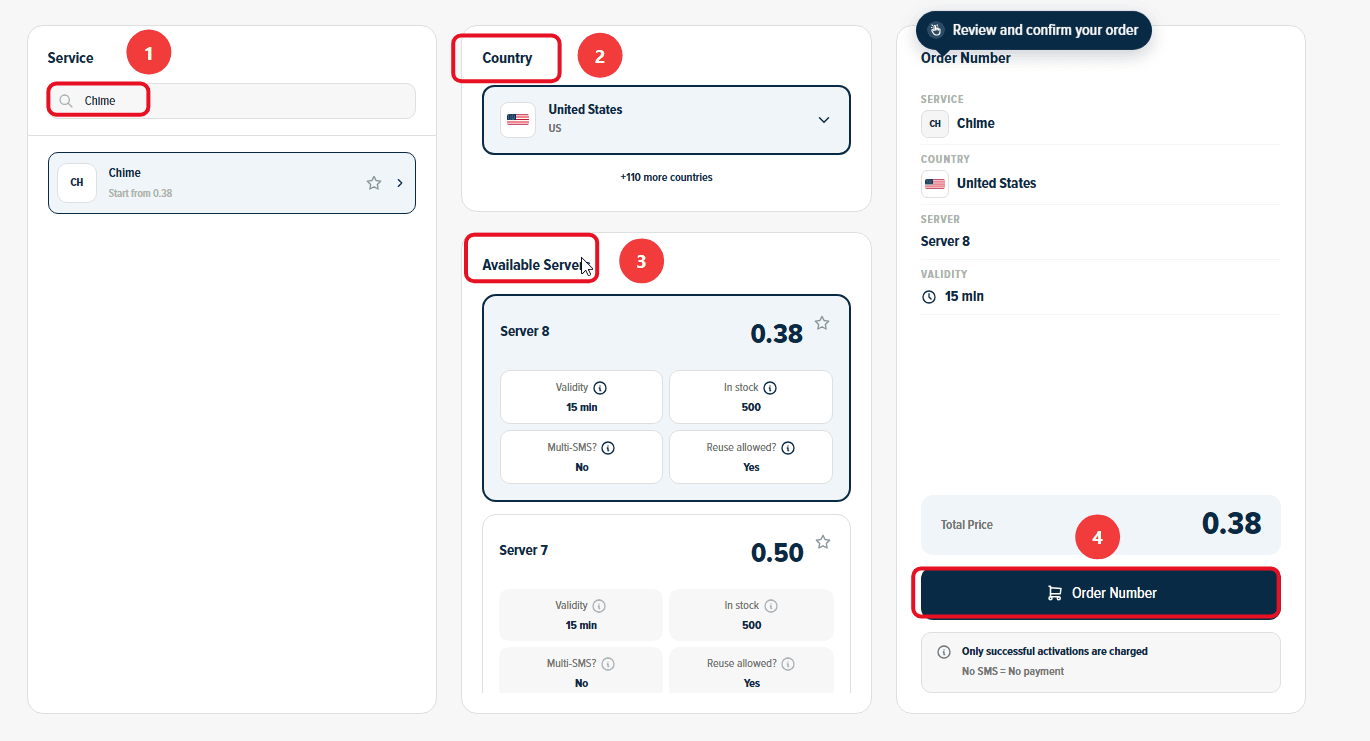
Confirm the Order: On the right section, you will find a comprehensive summary of your order. Review the details, then click "Order Number" to immediately allocate a real US number to you and start the waiting session.
Stage 2: Activating the Number in Chime
Now you are ready to link the number to your new account:
Open Chime on your phone and start the steps to create a new account.
Copy the phone number displayed on the order card on the Non-VoIP platform and paste it into the phone verification field inside Chime.
Return directly to the platform's dashboard and monitor the order card; you will see a timer showing the remaining time under the status "Awaiting SMS".
Once the Chime activation code arrives, it will appear immediately in the "SMS Message" field. Copy the code and enter it into the app to complete the process successfully.
Important Note: The platform offers absolute financial transparency. You can manually cancel the number before the message arrives, and if the timer expires without receiving the code, the balance will automatically return to your account according to the "No SMS = No payment" policy, allowing you to try another server.
Additional Features You Might Find Useful
Financial Protection Policy (No SMS = No Payment): If the number expires without receiving the code or you cancel it manually beforehand, the system guarantees an automatic and instant refund to your wallet.
Referral and Earnings Program: What if your network funded your next verifications? Invite your friends to the platform to get 50% off their first order, and enjoy a continuous 3% commission on every successful verification they complete (you can withdraw your earnings as USDT crypto or convert them directly into site balance!).
Conclusion
Chime remains a powerful option in the American digital financial landscape, offering undeniable benefits such as zero monthly fees and overdraft protection.
While the requirement for a U.S. phone number might seem like an obstacle for those wishing to create Chime account without using their personal number, it is not a dead end thanks to the Non-VOIP service.