The Non-VoIP platform is your trusted gateway to obtaining real temporary numbers that guarantee the activation of your accounts on various restrictive applications and websites, such as WhatsApp, Telegram, and PayPal, with the highest levels of privacy and security.
To begin your journey and protect your digital privacy, the first step is to create a new account on Non-VoIP.
The registration process is designed to be simple and fast, and requires no complicated steps.
Steps to Create a New Account on Non-VoIP
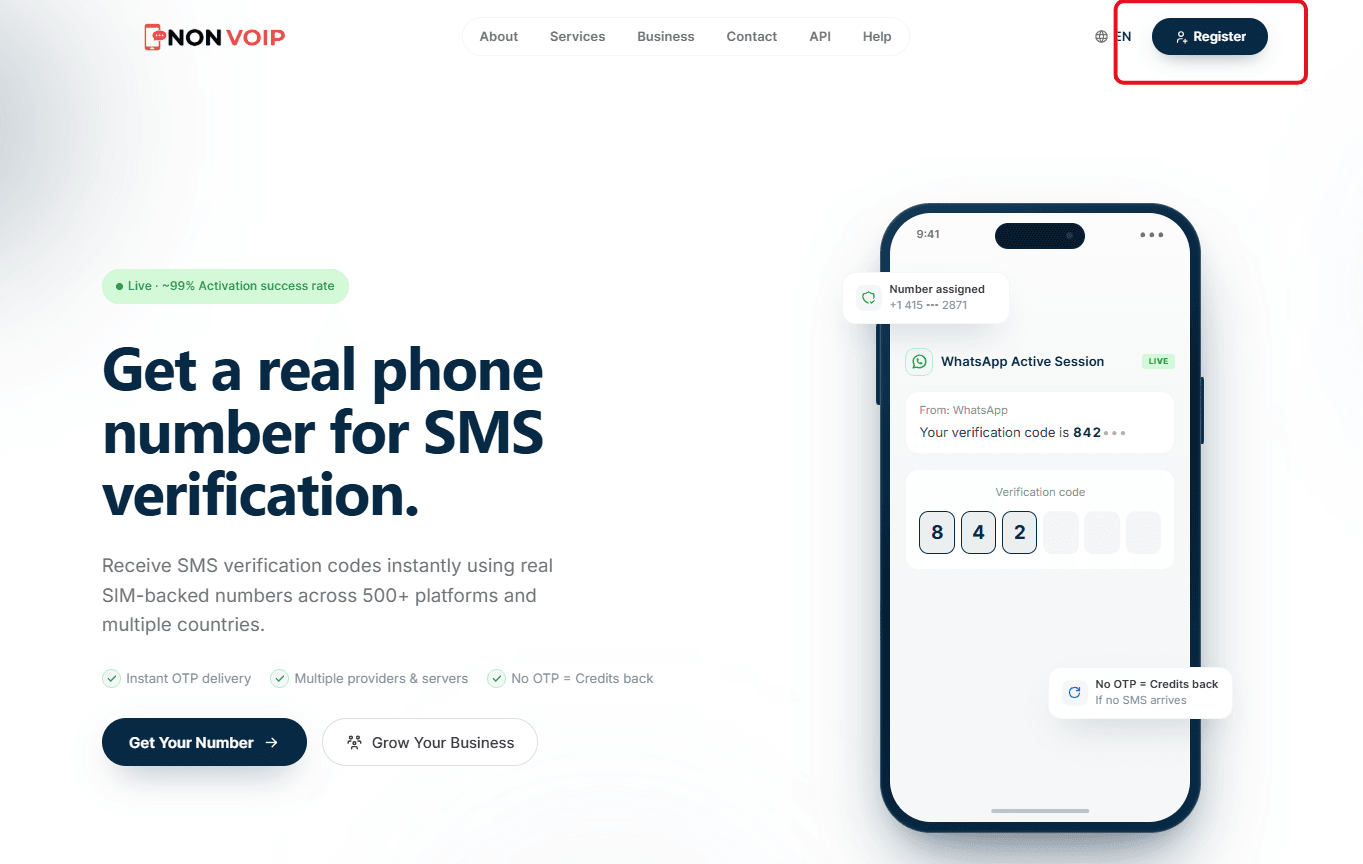
First, go to the official Non-VoIP website. Look for the "Register" button located at the top of the left sidebar and click on it.
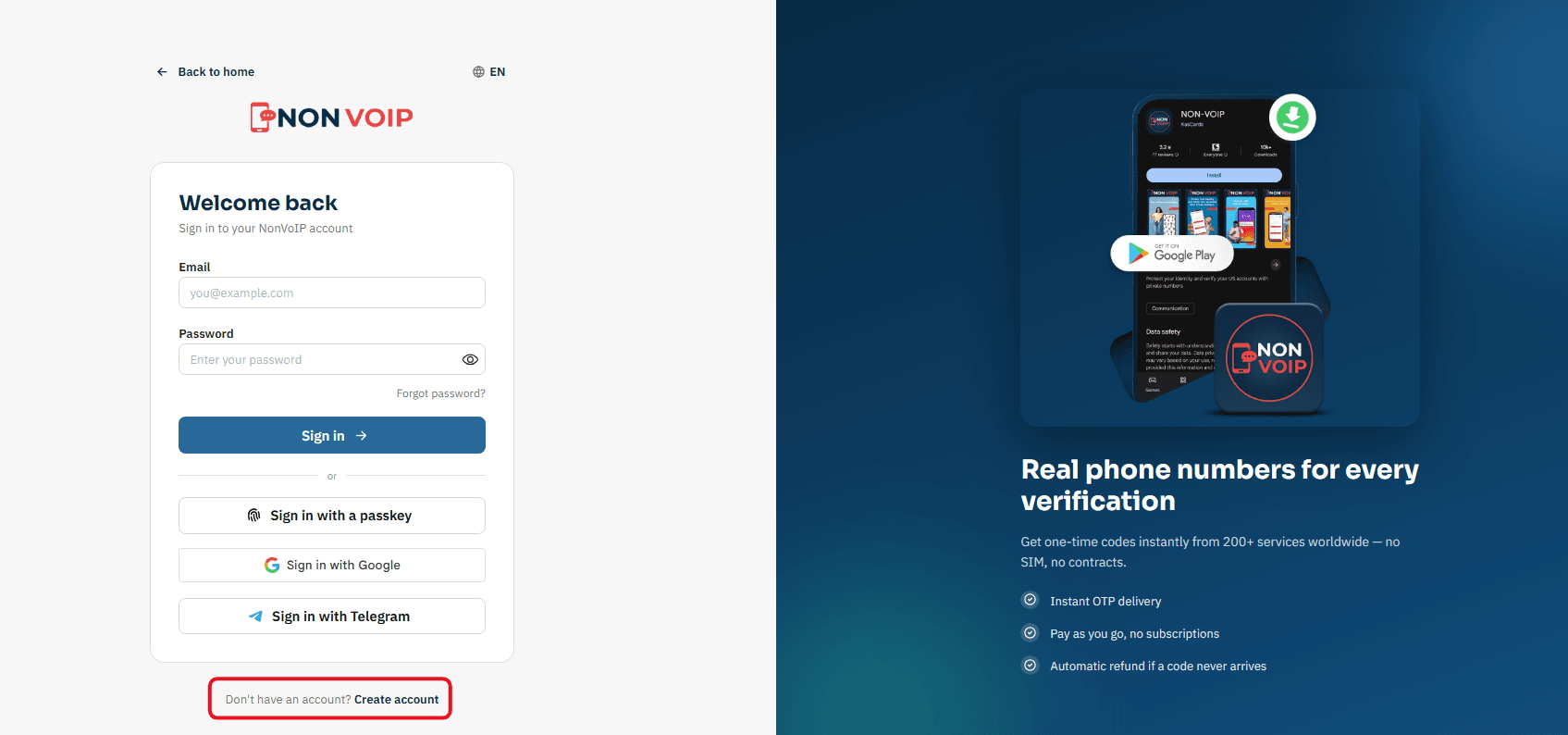
A new page containing the registration form will appear. Click on "Create account".
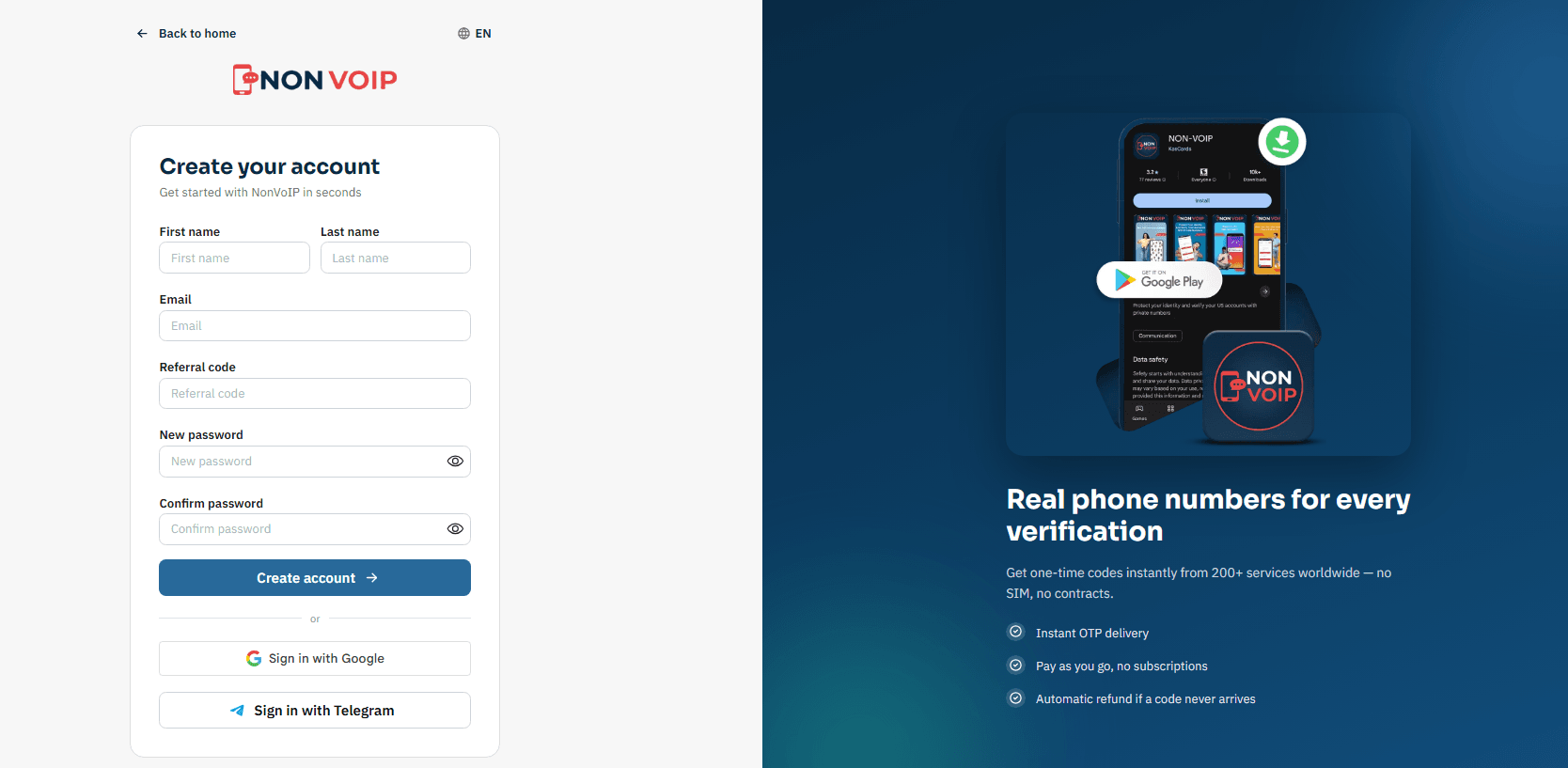
Now, you must accurately fill in the required fields:
First Name & Last Name: Enter your first and family name.
Email: Your active email address, which will be used for confirmation.
Referral code (Optional field): If a friend invited you to try the platform, you can paste their code into this dedicated field during registration.
This field is completely optional, but entering a code grants you an instant 50% discount on your first verification order.
To learn more about this feature and how you can benefit from it later, you can read our comprehensive guide on the Non-VoIP Referral & Rewards Program.Password: A strong password (you will enter it twice for confirmation).
After ensuring the information is accurate, click the blue "Create account" button at the bottom of the form.
You will receive an email containing a confirmation link. Open your email and look for the message from Non-VoIP.
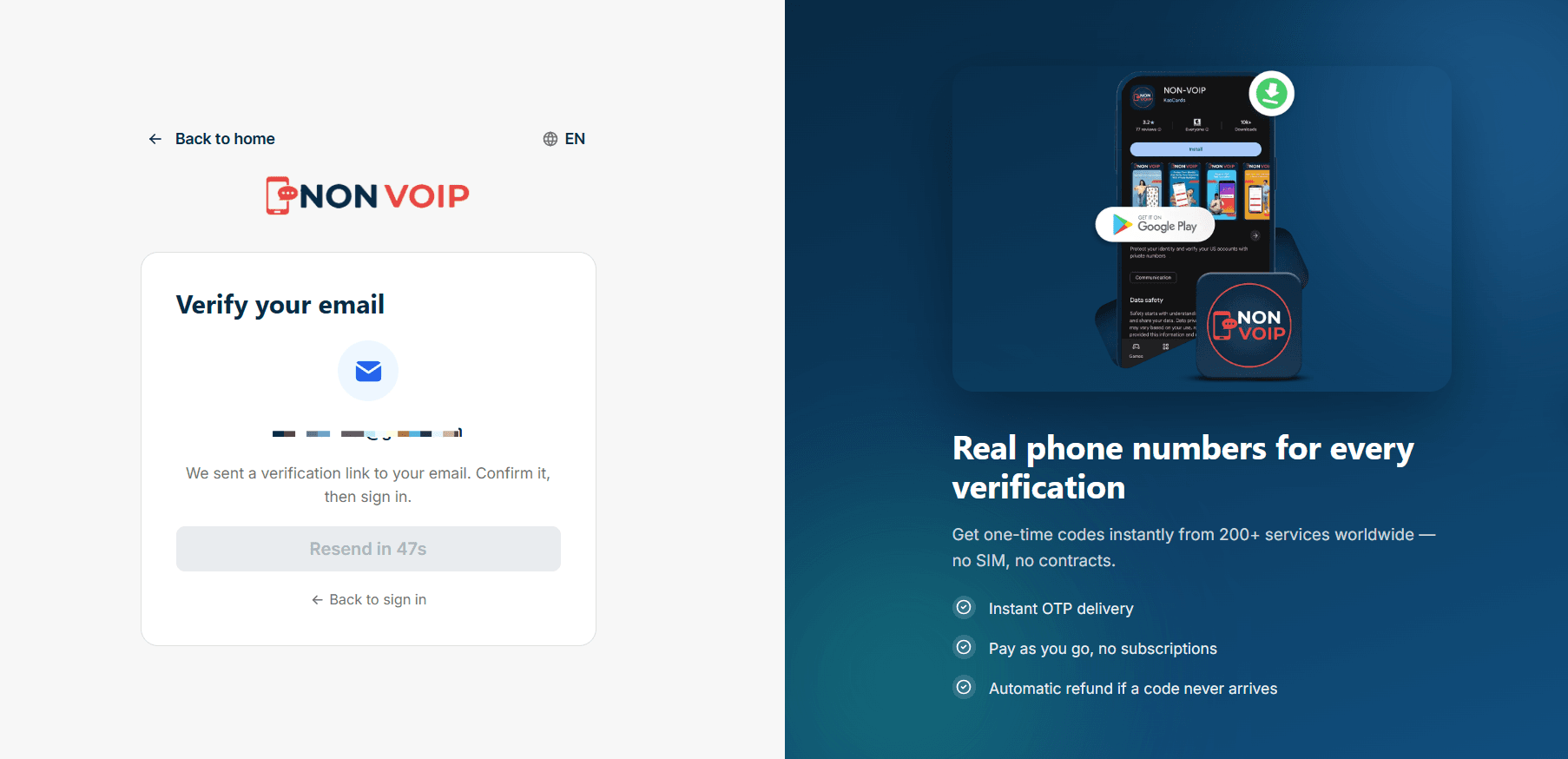
Open the email and click on the attached confirmation link. This step is crucial to verify your email address and activate your account.
You now have your own account on the Non-VoIP website and can start using it to purchase US numbers.
Fast Login Methods: Connected Accounts
To save time and make your future login experiences smoother, the dashboard allows you to link your Non-VoIP account with your other personal accounts.
Through your account settings, you can choose to:
Sign in with Google
Sign in with Telegram
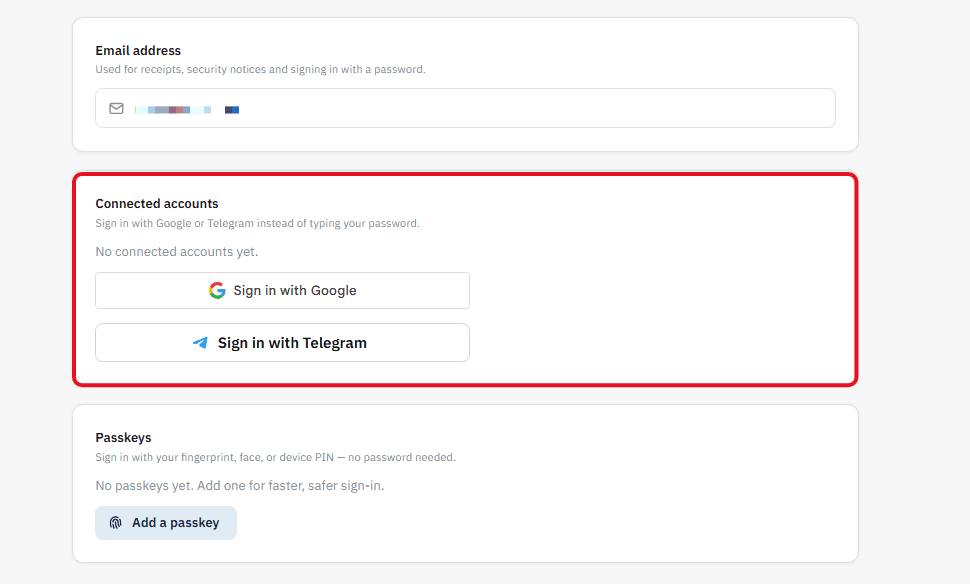
Once linked, you will no longer need to type your email and password every time you visit the site. Simply put, when you reach the login page, you can directly click the "Sign in with Google" or "Sign in with Telegram" button for instant one-click access.
What is a Passkey and How Do You Use It?
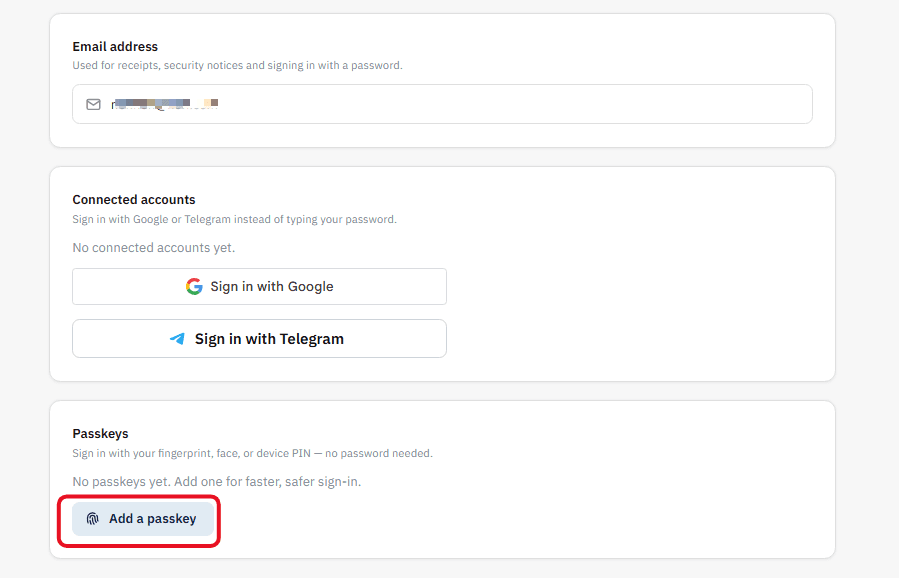
The Passkey feature is the latest digital security technology adopted by the platform for logging in. In short, this feature allows you to completely ditch traditional passwords and replace them with the built-in biometric security of your personal device (such as your fingerprint, facial recognition, or your phone/computer PIN).
How to utilize this feature?
Activation: From your account settings (Passkeys section), click the "Add a passkey" button. Your browser will prompt you to confirm your identity using your fingerprint or face to securely save the key on your device.
Logging In: On your future visits to the site, when you reach the login page, simply click the "Sign in with a passkey" option.
Your device will prompt you to touch the fingerprint sensor, and you will be directed to your account in less than a second, providing you with lightning speed and absolute protection against hacking attempts.
Conclusion
The process of creating a new account on Non-VoIP is designed to be extremely simple, yet secure at the same time. Thanks to the email verification step, we ensure the privacy and security of your account from the very first moment.
Follow this step-by-step guide, and do not hesitate to ask for help if you encounter any issues during activation.
Once completed, you will be ready to top up your balance and obtain real temporary numbers to activate all your favorite services