After registering on the Non-VoIP platform and topping up your account using one of the available payment methods (such as cryptocurrencies or Kazawallet), you are ready to purchase a real number to verify any service you need.
The platform's interface is user-friendly and clear, relying on a "pay for success only" policy (No SMS = No payment).
Here are the detailed steps to buy a real number from Non-VoIP:
Steps to Buy a Real Number from Non-VoIP
Step 1: Start a New Order
From the main menu, click on "Get Your Number".
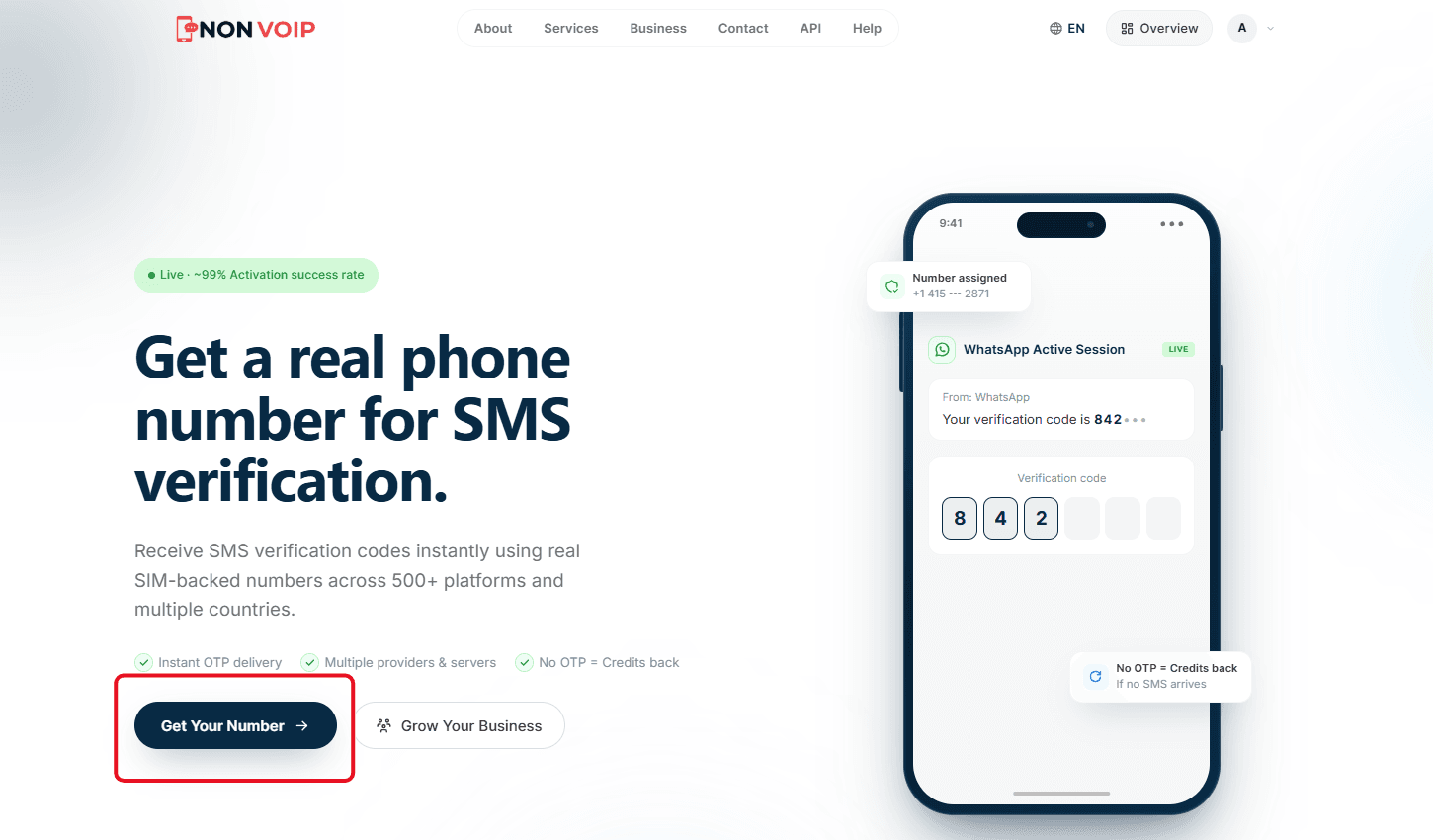
Click the "New Verification" button located in the platform's top bar.
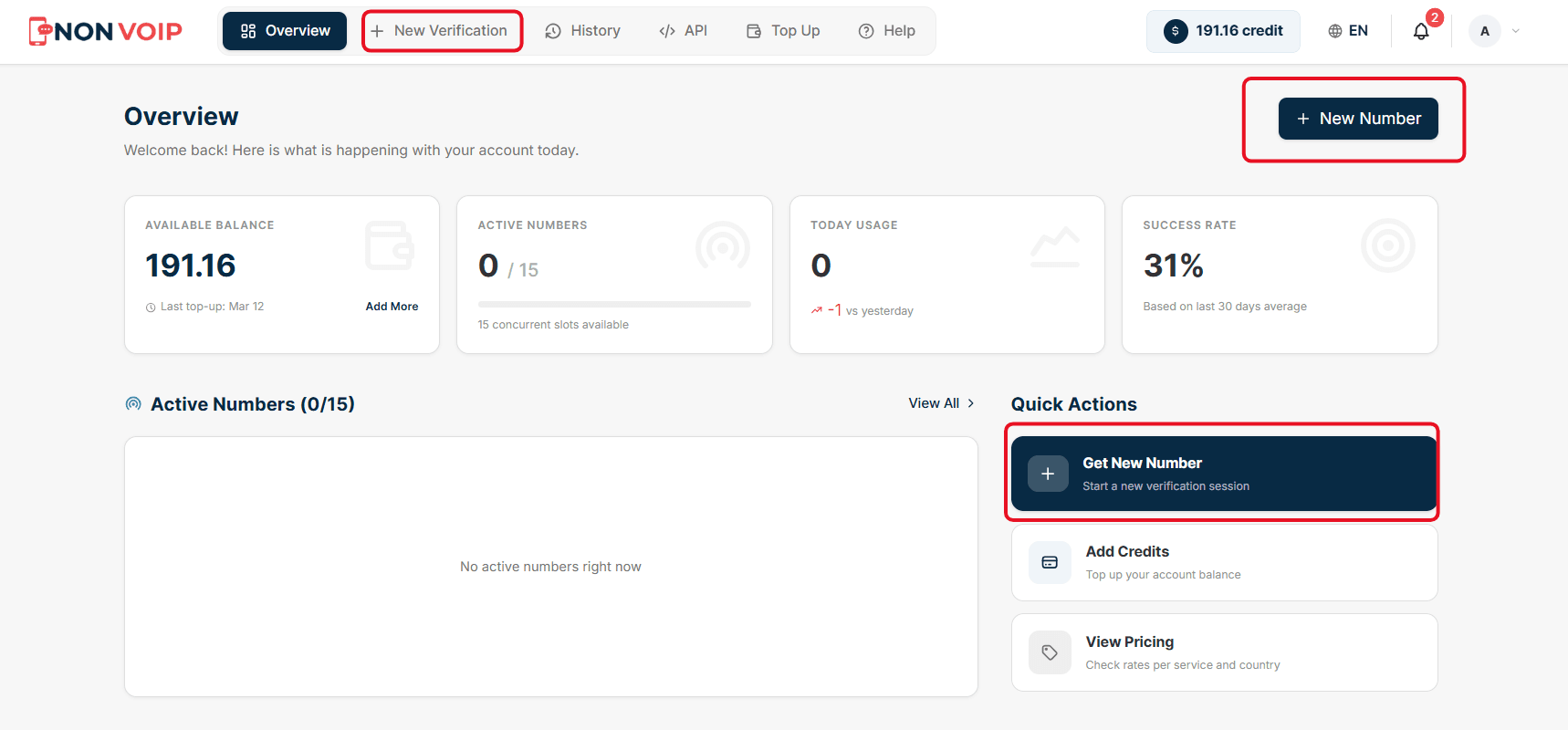
Step 2: Choose a Service
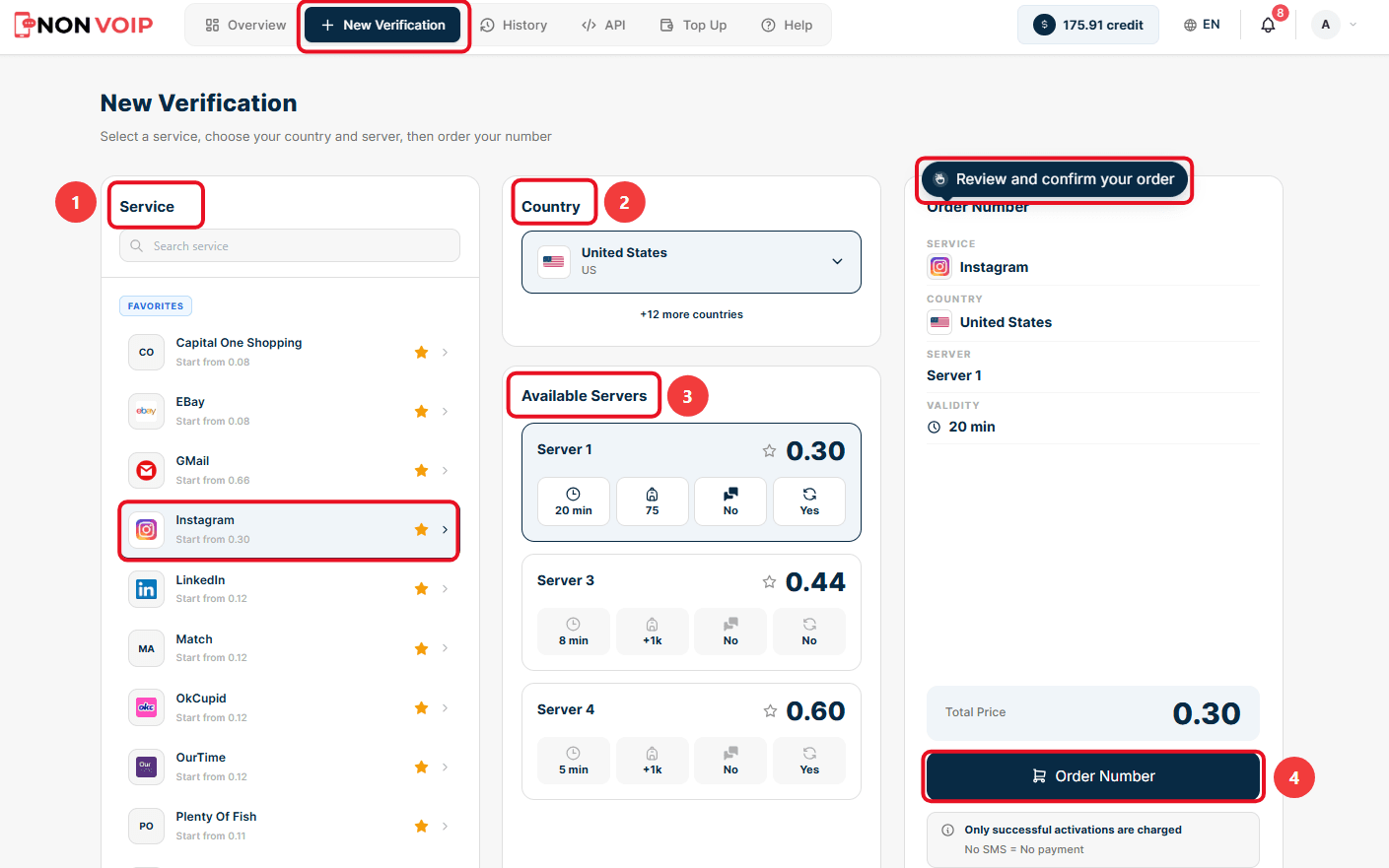
A long list of available services and applications will appear.
Search for and select the service you want to verify (e.g., Instagram).
Step 3: Select a Country
After choosing the service, select the country you want the number from (e.g., United States). The platform supports over 150 countries to meet various platform requirements.
Step 4: Choose a Server
For each service and country, there are multiple servers (e.g., Server 1, Server 3, Server 4).
Review the available server options. You will notice that each server displays: the price, the number's validity period (e.g., 20 minutes), and the ability to reuse or receive multiple messages.
Choose the server that fits your budget and needs.
Step 5: Confirm the Order
On the right side of the screen, you will see a comprehensive summary of your order (Service, Country, Server, Validity, and Total Price).
Review the details to ensure they are correct.
Click the "Order Number" button to assign the number to you and start waiting for the verification message (SMS).
Step 6: Receive the Number and Wait for the SMS
Once the order is confirmed, a new card specifically for your assigned number will appear.
Copy the displayed phone number and enter it into the application or website you want to verify.
Monitor the order status on the card; you will see a timer indicating the Time Remaining, and the order status which will display as Awaiting SMS.
Once the verification code arrives, it will instantly appear in the SMS MESSAGE field.
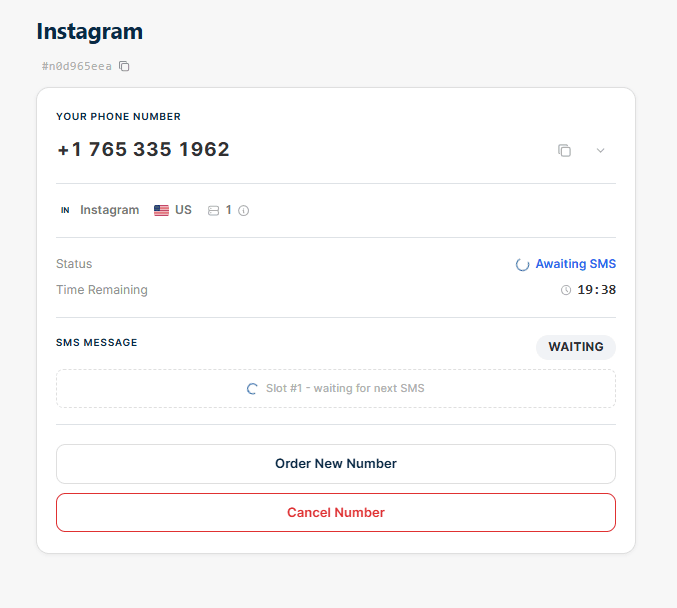
(Note: At this stage, you can order a new number or cancel the current one before the message arrives using the buttons available at the bottom of the card).
Important Note for Mobile Users
If you are using the Non-VoIP platform via your mobile browser, the interface design differs slightly to fit mobile screens.
Unlike the desktop screen that displays all options on a single page, the mobile interface relies on a Step-by-Step system to facilitate usability.
To see the exact details and layout of these steps while using a mobile device, we recommend watching the following explanatory video:
How Are Credits Deducted Upon Purchase?
As you know, the platform grants you an additional Bonus when you top up your account. This bonus is kept in a separate wallet from your main balance (Credits) within the dashboard.
When you purchase a number and the verification is successful, the system intelligently deducts the cost based on the following priority:
Bonus Priority: The system will always deduct from the (Bonus Credits Earned) wallet first.
If the cost of the number is less than or equal to your bonus balance, the full amount will be deducted from the bonus without touching your main balance.
If the cost of the number is greater than your bonus balance, the system will completely consume the bonus balance first, then deduct the remaining amount from your main balance (Available Credits).
Always remember the platform's rule: "No SMS = No payment." If the code does not arrive and the number expires, the full balance (whether bonus or main credit) will be returned to your wallet.
Conclusion
The process of obtaining a real, temporary number from the Non-VoIP platform is designed to be fast, accurate, and financially transparent.
Thanks to the flexible user interface, multiple servers, and the smart deduction system that prioritizes the bonus, you can verify any account you need with complete confidence, without worrying about bans or losing credits.
Follow the steps above, whether from your computer or mobile phone, and start verifying your accounts with total security.