To successfully create an Upwork account without a phone number, the alternative must be a real number, not a virtual one.
Non-Voip numbers are the only safe solution to bypass security checks (2FA) and identity verification without revealing your private number, which protects you from intruders and maintains the stability of your professional account.
The Importance of Creating an Upwork Account Without a Personal Phone Number

Successfully creating an Upwork account without a personal phone number is a vital step for freelancers and business owners seeking a balance between professionalism and privacy. Its importance lies in:
Complete Separation of Professional and Personal Identity: Preventing your private life from being linked to the workspace, protecting you from data tracking or unwanted access to personal information tied to your primary number.
Enhanced Account Security (2FA): An external number allows you to activate a two-factor authentication layer independently, reducing the risk of account hacking or linkage to social media profiles that might reveal your real identity to clients.
Bypassing Technical and Geographical Barriers: Using a verified external number provides greater flexibility in managing the account, especially if you work in regions facing difficulties receiving international SMS from global platforms.
Why Does Upwork Reject Virtual Numbers?
Virtual numbers are completely blacklisted on these apps. This is where the advantage of using real and temporary US Non-Voip numbers comes in:
Real Numbers, Not Virtual: Unlike free number apps that issue software-based (VoIP) numbers, our platform provides real US numbers from major carriers, appearing to the system as a physical SIM card.
A Temporary and Effective Solution: Since you primarily need the number for the activation and security check phases, using a temporary Non-Voip number is perfectly sufficient without the cost of a permanent US phone line.
Bypassing Red Flags: Virtual numbers immediately raise a Red Flag, leading to account suspension, while our numbers provide a high Trust Score that facilitates the identity verification process later.
Read more about VoIP vs. Non-VOIP Numbers
Steps to Create an Upwork Account Without a Phone Number
Follow these simple steps to get a number to activate Upwork:
Stage 1: Get a Real US Number
Go to the official Non-VoIP website.
Top up your balance to start the process
Log in to your account. If you don't have one, create a new account first.
Click on the "New Activation" section.
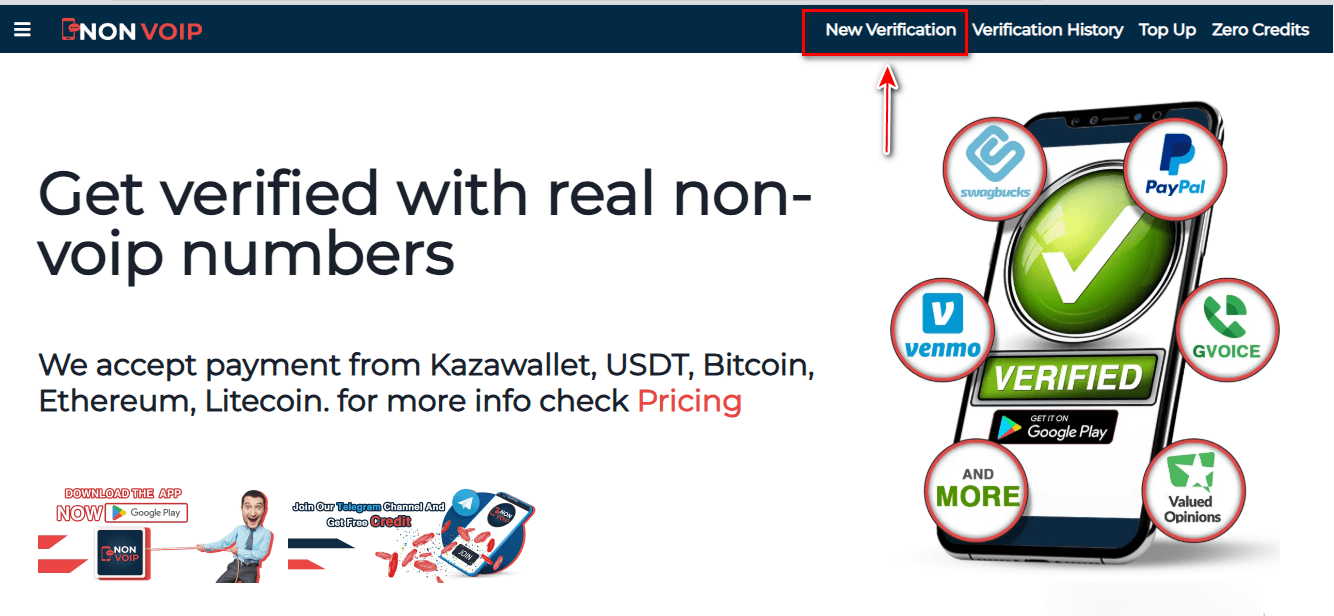
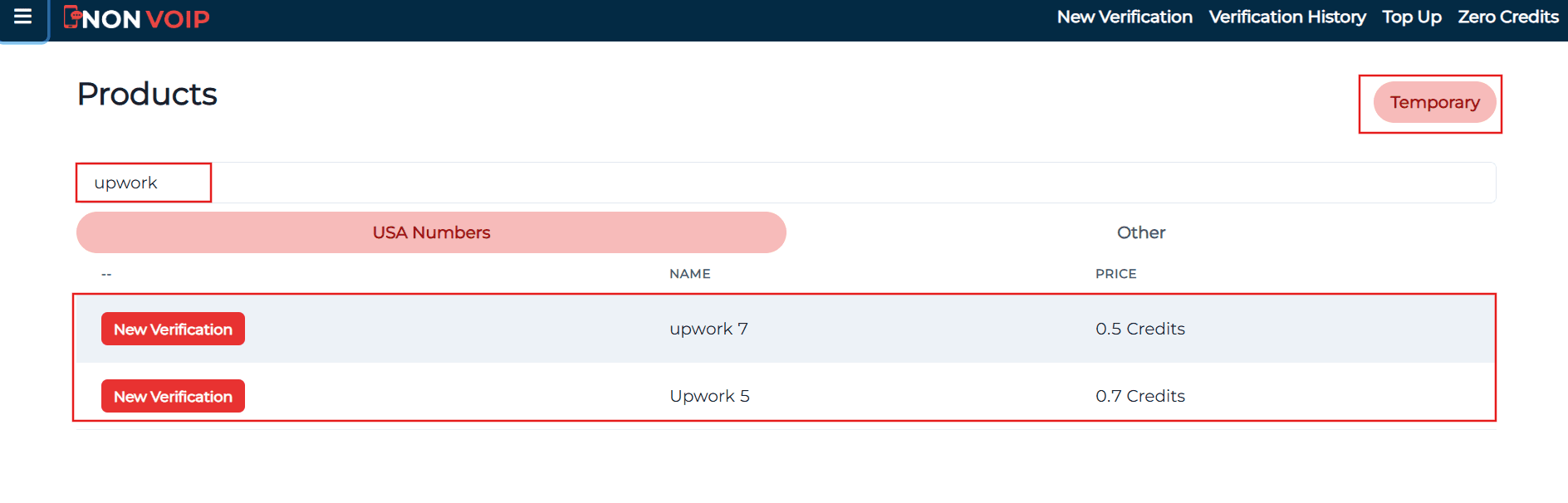
Use the search bar at the top, type "Upwork", and press search.
Click the "New Activation" button to get your number.
Stage 2: Activate Upwork Account
Open the Upwork app and start creating a new account.
Fill in your basic information.
When you reach the phone verification step, paste the number you got from the Non-VoIP website.
Go back to your Non-VoIP dashboard and wait a few moments to receive the SMS verification code.
Enter the code into the Upwork app to finish the process.
Frequently Asked Questions (FAQ)
Will I need the number every time I log in?
The number is required for initial verification. After logging in, we highly recommend enabling an authenticator app (such as Google Authenticator) as the primary login method, eliminating the need for the number in the future.
Why does the platform reject free numbers?
Upwork categorizes free numbers as tools for fraud and spam. Using US Non-Voip technology ensures you bypass these blacklists because the number appears as a real mobile line.
What if the activation code does not arrive?
The Non-Voip platform fully protects your balance. If you encounter an issue receiving the code, you can cancel the request and receive an instant refund to try another number, ensuring a 100% successful activation service.
In the End
To successfully create an Upwork account without a personal phone number, stay away from virtual solutions that expose your account to bans.
Use real Non-Voip numbers to bypass strict filtering systems, secure your privacy, and start building your global career with confidence