Have you ever spent days creating a “masterpiece” video, only to upload it and get just 15 views? Meanwhile, you see average videos racking up millions of views and topping search results.
Is it luck? Does YouTube hate you? No. The difference is just three letters: SEO.
In this comprehensive guide, we How to Optimize YouTube Videos and Increase Views? How do you write an irresistible title? And how to turn your channel from a “ghost town” into a machine for views and profits.
How Does the YouTube Algorithm Work?

Before writing a single letter, you must understand YouTube’s sole goal: To keep the viewer inside the app for as long as possible to watch more ads.
The algorithm loves videos that achieve this goal and measures them with a simple equation: Success = Click-Through Rate (CTR) + Retention.
- Click-Through Rate (CTR): When the video appears in front of people, do they click on it or ignore it? (This is the responsibility of the Thumbnail and Title).
- Retention: After they click, do they finish the video or leave after a minute? (This is the responsibility of content quality).
If these two ratios are high, YouTube will consider the video “digital gold” and suggest it to millions for free.
How to Choose the Right Keywords?
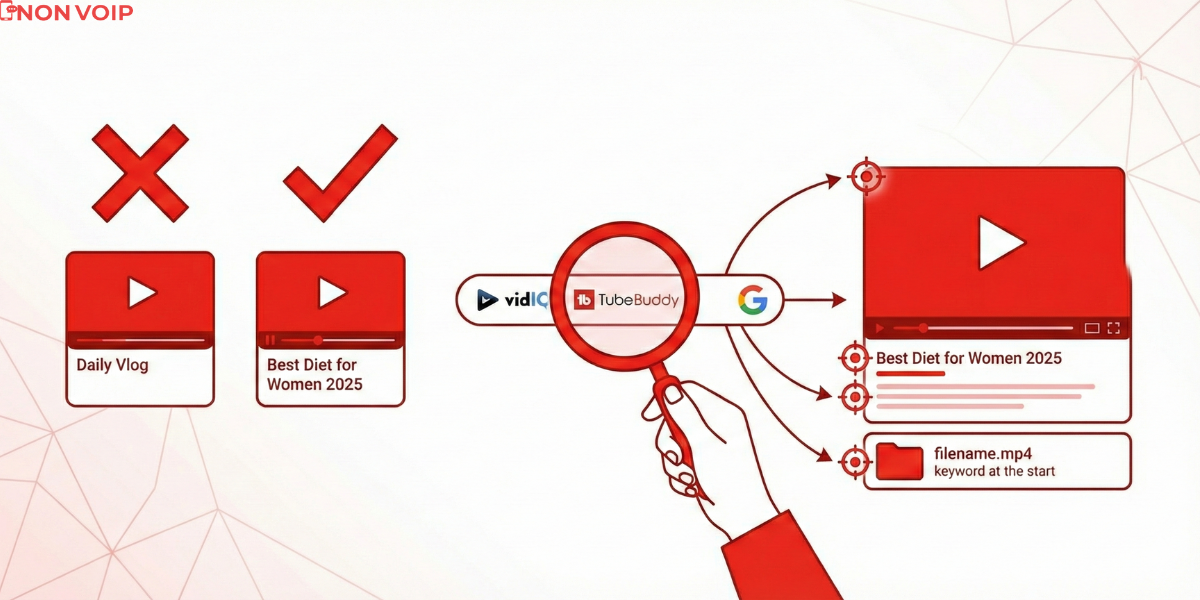
Mistake #1 is uploading a video with a title like “Daily Vlog” or “Site Explanation.” Who is searching for these words? No one.
- Target Long-Tail Keywords: Instead of targeting the word “Diet” (which millions of channels compete for), target “Best diet for women in 2025.” The competition is lower, and the audience is highly targeted.
- Use Search Tools: Don’t rely on your intuition. Use tools like VidIQ or TubeBuddy (or even free Google search) to know exactly what people are typing into the search bar.
- Keyword Placement: Place the keyword in: (The beginning of the Title, the first line of the Description, and the video file name before uploading).
How to Design a Thumbnail and Title to Increase Clicks (CTR)?
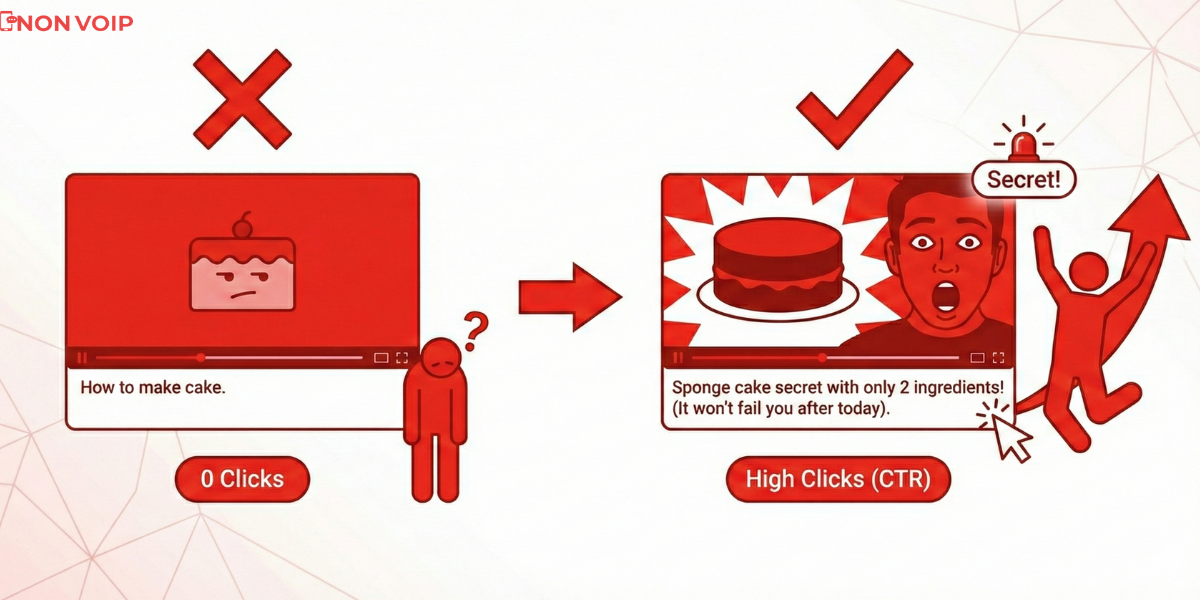
Your content might be Hollywood quality, but if no one clicks on it, it equals nothing. In the world of YouTube: You are selling the “Click” first.
- Thumbnail: It must be simple, have contrasting colors, and spark curiosity. An expressive human face always grabs attention.
- Title: It must combine the Keyword (for the robot) and Excitement (for the human).
- Bad Example: How to make cake.
- Excellent Example: Sponge cake secret with only 2 ingredients! (It won’t fail you after today).
How to Retain Viewers and Increase Retention?

Remember what we said about retention? YouTube closely monitors when a viewer closes the video. Most people decide to stay or leave in the first 30 seconds.
- No Long Intros: Forget the long musical intro and the channel logo spinning for 15 seconds. Dive into the topic immediately.
- The Hook: Start with a shocking sentence, a clip from the middle of the video, or a strong promise (“In this video, I will save you $100…”).
- Pattern Interrupts: Change the camera angle, show an image, or pop up text every 10 seconds to re-engage the viewer’s attention.
How to Write a Video Description to Top Search and Increase Profits?
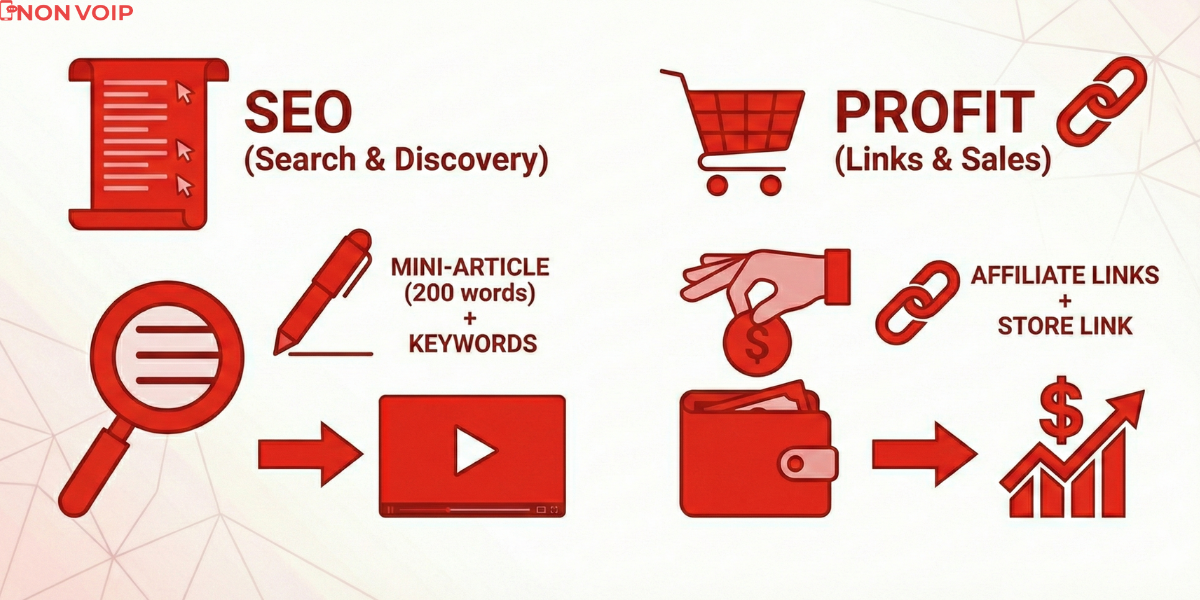
The description box is not just a place to stack words; it is your wallet.
- For SEO: Write a mini-article (200 words) describing the video accurately using keywords for the search engine to read.
- For Profit: This is the place where you put your Affiliate Marketing links or your Dropshipping store link. YouTube is the best source of “buying traffic” because the viewer trusts you after seeing the video.
Why Do You Need to Verify Your YouTube Channel?
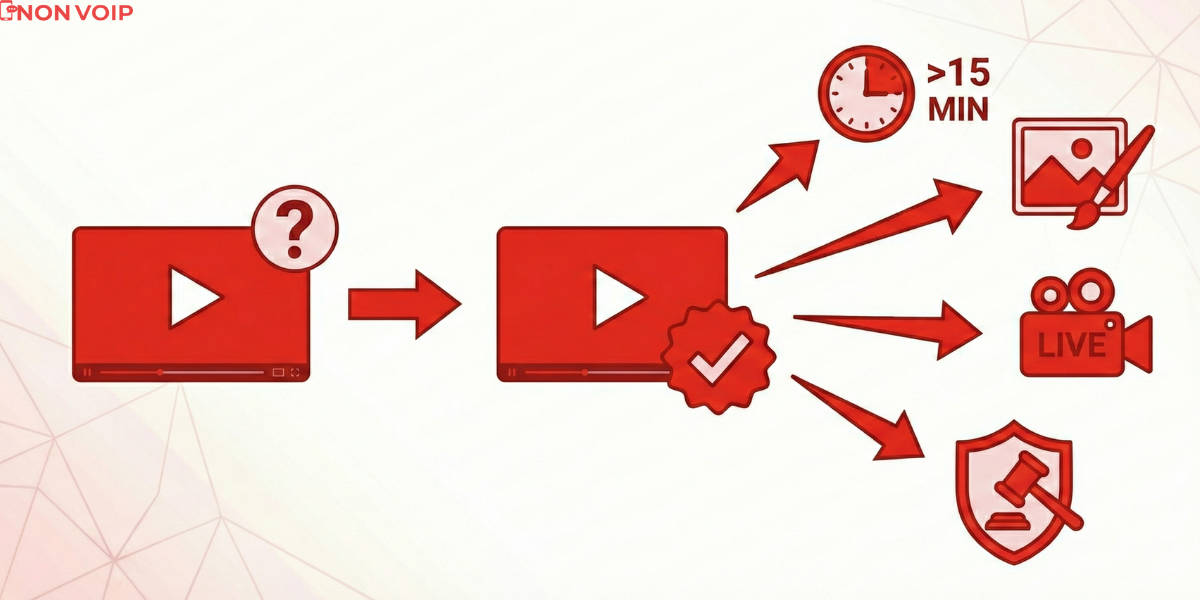
Now we come to a technical point that many overlook, which destroys their channels before they even start. When you create a new channel, YouTube places strict restrictions on you that prevent you from competing:
- You cannot upload a Custom Thumbnail (which means your CTR will fail).
- You cannot upload videos longer than 15 minutes.
- You cannot go Live.
To unlock these features (without which the channel will never succeed), YouTube asks you to Verify Channel Ownership via a Phone Number.
- The Problem: If you run multiple channels, or want to target a US audience with a fully US account, using your local personal number might link the channels together (if one gets banned, they all get banned!), or YouTube might not accept it if it has been used previously.
- The Failed Solution: Using fake numbers and VoIP apps; YouTube detects them immediately and rejects verification, or deletes the channel later for “suspicious activity.”
How to Verify the Channel with a US Number and Unlock Advanced Features?
To ensure your channel’s stability, unlock custom thumbnails and long videos, and protect the channel from bans associated with fake numbers:
Use a Real Phone Number (Non-VoIP) to receive the activation code from YouTube. You can get one from Non-voip
Why is this investment necessary?
- Unlock Features Immediately: Once the code is entered, your channel becomes “Verified,” enabling you to upload long videos and set custom thumbnails that attract views.
- Channel Separation: If you are a pro managing multiple channels, using a unique number for each channel protects you from “Mass Bans” in case a mistake happens on one channel.
- Security: YouTube (and Google in general) trusts real numbers, which raises your channel’s Trust Score and helps in getting it suggested.
In Conclusion
The right Keyword brings the viewer in, the Thumbnail draws them inside, and strong Content keeps them until the end. And don’t forget the foundation: A channel verified with a Real Number is the solid ground upon which you build your empire of views.