You can successfully create a Zalo account without a phone number in 2026 by using real Non-Voip numbers.
The Non-Voip platform provides you with US numbers linked to physical SIM cards, allowing you to receive the OTP code and bypass security systems that block virtual numbers. This grants you full access to the app's features while keeping your private data confidential.
The Importance of Creating a Zalo Account Without a Personal Phone Number
Using a real external number to activate Zalo provides significant security and technical advantages:
Digital Identity Protection: Separating your primary number from social media apps reduces the chances of data tracking or your account appearing in "suggested friends" for unwanted contacts.
Commercial and International Use: If you manage a business in Southeast Asia, having a verified account with a real number gives you greater credibility and facilitates communication with customers without revealing your private number.
Bypassing Carrier Restrictions: A real US number allows you to bypass local network restrictions that may hinder the receipt of international messages from the application.
The Activation Obstacle: Why Does Zalo Reject Virtual Numbers?
VNG (the developer of Zalo) utilizes advanced systems to combat fake accounts. Virtual numbers often fail for the following reasons:
Real-time VoIP Detection: The app immediately identifies numbers issued by software applications and blocks the registration process, flagging them as suspicious bot accounts.
Account Stability: Accounts activated with fake numbers are often closed as soon as conversations begin, whereas Non-Voip numbers provide long-term stability because they appear as legitimate cellular lines (Physical SIM).
Technical Reliability: Our numbers grant you a high trust score with Zalo's algorithms, facilitating the verification process and the use of advanced features within the app.
Read more about VoIP vs. Non-VOIP Numbers
Steps to
Create a Zalo Account Without a Phone Number
Follow these simple steps to get a US number to activate Zalo:
Phase 1: Get a US Number
Visit the official Non-voip website and log in.
Top up your balance to start the process.
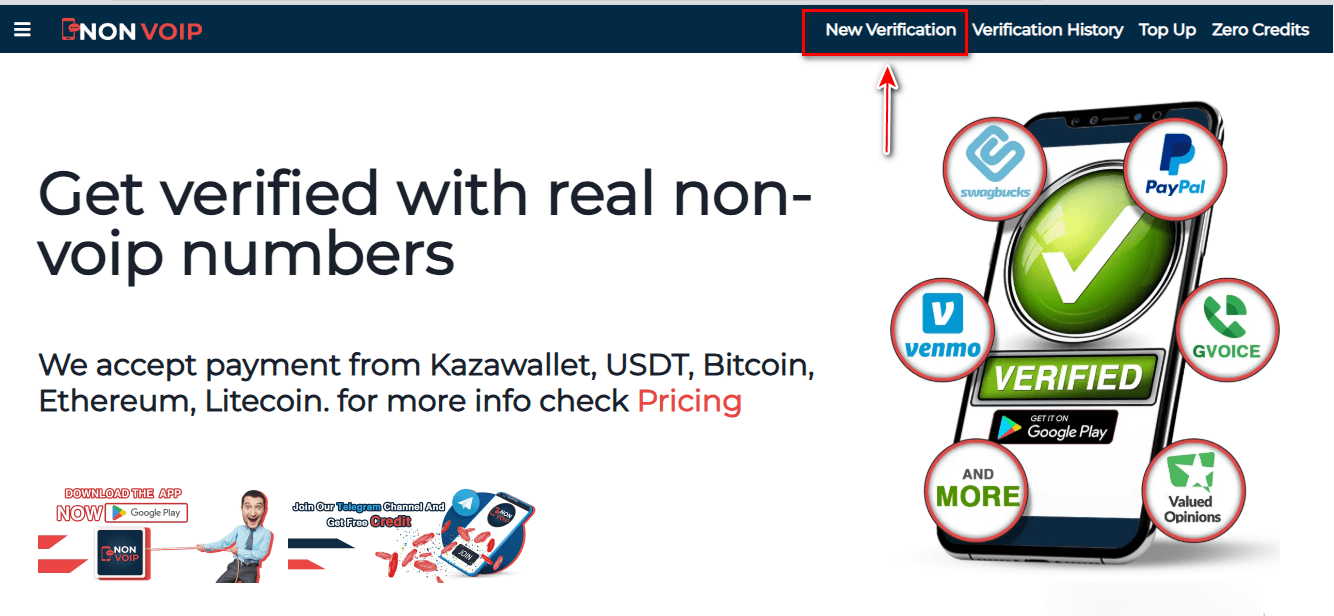
Click on the "New Activation" section of the site.
Use the search bar at the top, type "Zalo", and press the search button.
Click the "New Activation" button and follow the instructions to receive your real US number.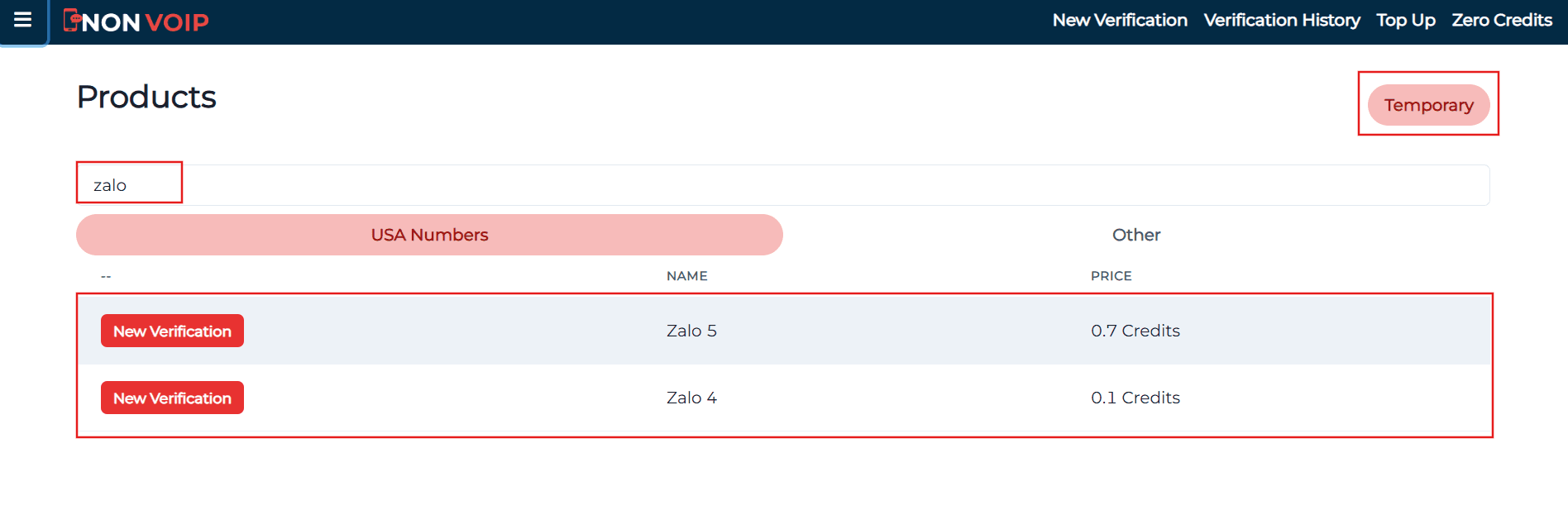
Phase 2: Activating a Zalo Account
- Open the Zalo and start the new account creation process.
- Fill in the required basic information.
- When you reach the phone verification step, paste the number you obtained from the Non-voip site.
- Return to your Non-voip dashboard and wait a moment for the SMS verification code.
- Enter the code into the Zalo app to complete the process successfully.
Frequently Asked Questions (FAQ)
Will I lose my account if I lose access to the number?
The number is required for initial verification. To secure your account for the future, we recommend enabling a login password and linking a verified email, ensuring the account stays with you even if the number is no longer available.
Why does the platform reject free numbers?
Free numbers are pre-blacklisted in Zalo's databases because they lack reliability and are often used for spam. Using Non-Voip technology is the only guarantee of success.
What if the activation code does not arrive?
The Non-Voip platform fully protects your balance. If you encounter an issue receiving the code within a few minutes, you can cancel the request and receive an instant refund to try another number, ensuring a 100% successful activation service.
In the End
To successfully create a Zalo account without a personal phone number in 2026, stay away from virtual solutions that cause account bans.
Use real Non-Voip numbers to bypass complex filtering systems, secure your privacy, and enjoy a safe and stable communication experience.