You can successfully create a Badoo account without a phone number by using real temporary Non-Voip numbers from the Non-Voip platform.
Since the app requires verification with a real number to prevent automated accounts, using a physical US SIM is the only way to receive the verification code and ensure your account is activated safely and correctly without risking your privacy.
Why Do Users Prefer Creating a Badoo Account Without a Phone Number?

In the digital environment, maintaining the confidentiality of personal data has become a priority, especially in dating apps:
Identity Protection: Avoid having your real phone number appear in app databases or being linked to your other social media profiles.
Avoiding Spam: Prevent advertising messages or unwanted calls from reaching your primary personal phone.
Global Access: Using a US number allows you to interact in different geographical regions and access features that may not be available in your local country.
Read more about how to create a fake Tinder account.
Why Does Badoo Reject Virtual Numbers?
Badoo has strict security systems aimed at cleaning the platform from bots and fake accounts. Virtual numbers often fail for the following reasons:
Source Identity Detection: The app’s algorithms detect that the number does not follow a legitimate telecom provider (like AT&T or Verizon) and reject it immediately.
Verification Badge: Obtaining a verified account requires a real number that can receive the code quickly, and virtual numbers are often pre-blacklisted.
The Reliable Solution: The Non-Voip numbers we provide are linked to physical SIM cards, ensuring the system treats you as a 100% real and trusted user.
Steps to Create a Badoo Account Without a Phone Number
Follow these simple steps to get a number to activate Badoo:
Stage 1: Get a Real US Number
Go to the official Non-VoIP website.
Log in to your account. If you don't have one, create a new account first.
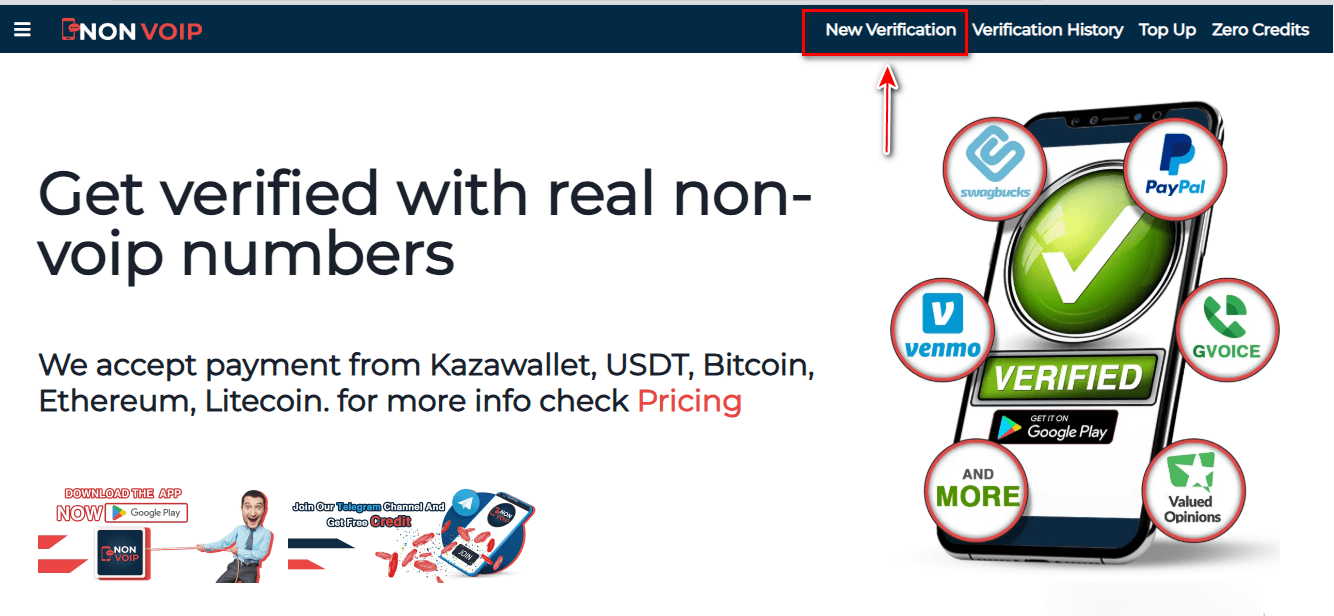
Click on the "New Activation" section.
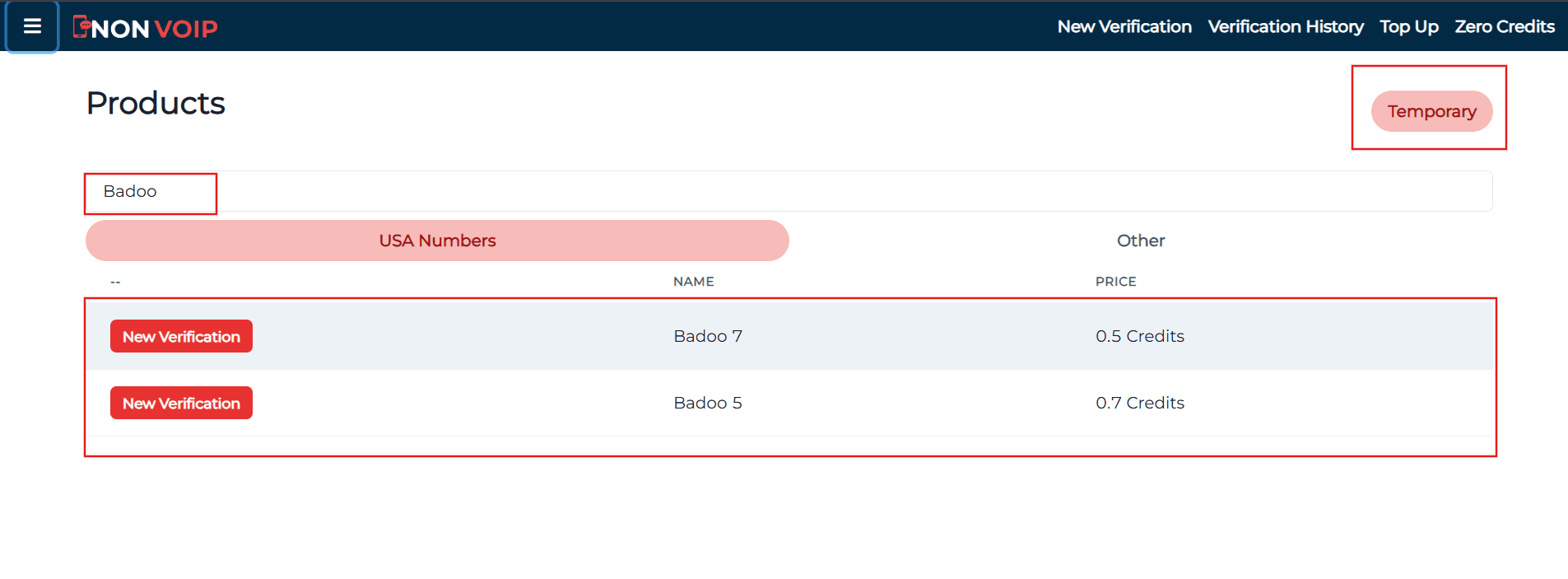
Use the search bar at the top, type "Badoo", and press search.
Click the "New Activation" button to get your number.
Stage 2: Activate Badoo Account
Open the Badoo app and start creating a new account.
Fill in your basic information.
When you reach the phone verification step, paste the number you got from the Non-VoIP website.
Go back to your Non-VoIP dashboard and wait a few moments to receive the SMS verification code.
Enter the code into the Badoo app to finish the process.
Frequently Asked Questions (FAQ)
Will the account be safe from being banned?
Absolutely, because you used a real number rather than a software-generated one. We always recommend completing your profile and uploading real photos to enhance your account's credibility.
Why does the platform reject free numbers?
Free numbers are often used in fraud operations, so they are blacklisted. Using Non-Voip technology is the only guarantee to successfully bypass these lists.
What if the code does not arrive?
If the code is not received within a few minutes, you can cancel the request on the Non-Voip platform and receive an instant refund to try another number, ensuring a guaranteed activation experience with no financial risk.
Conclusion
Creating a Badoo account without a personal phone number is the ideal step to expand your social circle while maintaining the highest levels of privacy.
Start your journey professionally, use trusted numbers from Non-Voip, and enjoy a secure and premium communication experience.