You can activate an OfferUp account using a US number via a real and reliable Non-VoIP service. To ensure successful activation, it is essential to avoid virtual numbers that platform algorithms easily detect.
The solution lies in using US Non-VoIP numbers; they are linked to physical SIM cards, which guarantee OTP delivery in seconds and bypass the anti-fraud filters that often prevent your listings from appearing.
Why is a Real US Number Essential for OfferUp?
Since OfferUp focuses on local transactions, using a real number provides several key benefits:
Basic Verification: OfferUp requires a US phone number to send an activation code during account creation; a real number is preferred to avoid instant bans.
TruYou Verification: To earn the verified badge (TruYou), the system requires a phone number, email, and Facebook link. A real US number ensures this process succeeds.
Fraud Prevention: As a local-first platform, security is a priority. Virtual VoIP numbers are often rejected because they are frequently associated with fake accounts.
Why Does OfferUp Reject Virtual (VoIP) Numbers?
To protect its community from fraud, OfferUp actively filters out virtual accounts by:
Lack of Trust in Verification: VoIP numbers are not linked to a physical SIM card or a fixed geographical location, failing to prove a user's real identity in a platform that relies on face-to-face meetings.
Spam and Multi-Account Prevention: Users often exploit VoIP to create mass accounts, leading OfferUp to block these number ranges permanently.
Advanced Databases: OfferUp utilizes filters that detect VoIP providers (such as Google Voice) and reject their OTP requests, focusing only on clean, legitimate lines.
Read more about VoIP vs. Non-VOIP Numbers
Steps to Activate an OfferUp Account Using a US Number
Follow these simple steps to get a US number to activate OfferUp:
Phase 1: Get a US Number
Visit the official Non-voip website and log in.
Top up your balance to start the process.
Click on the "New Activation" section of the site.
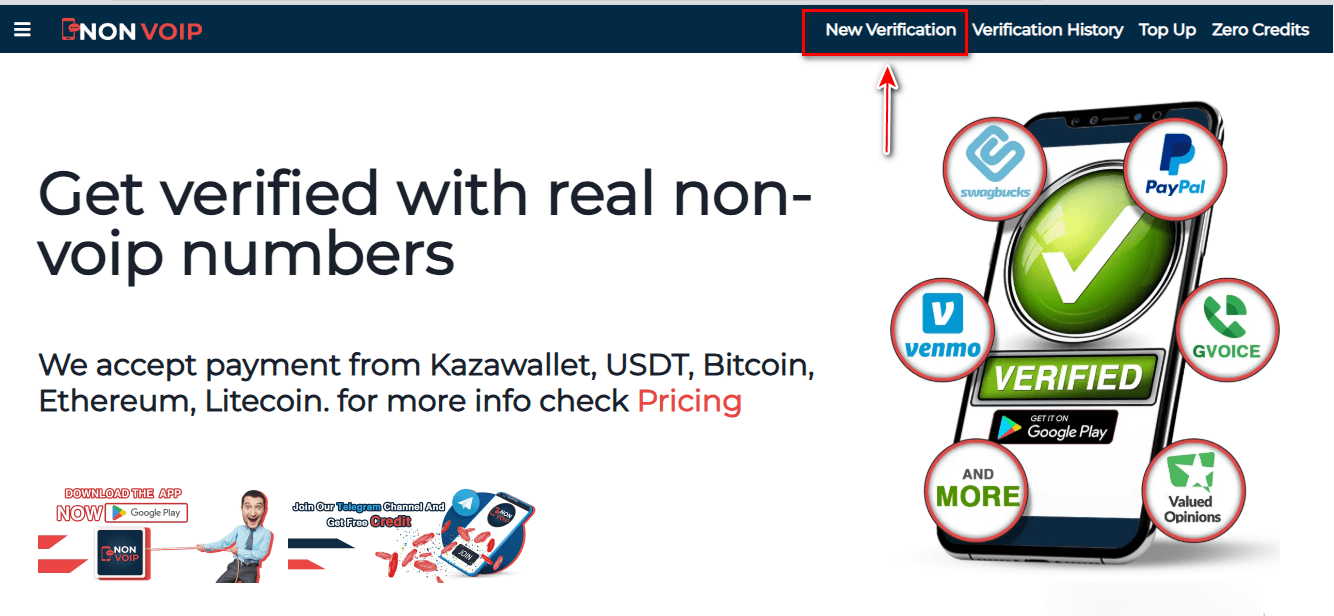
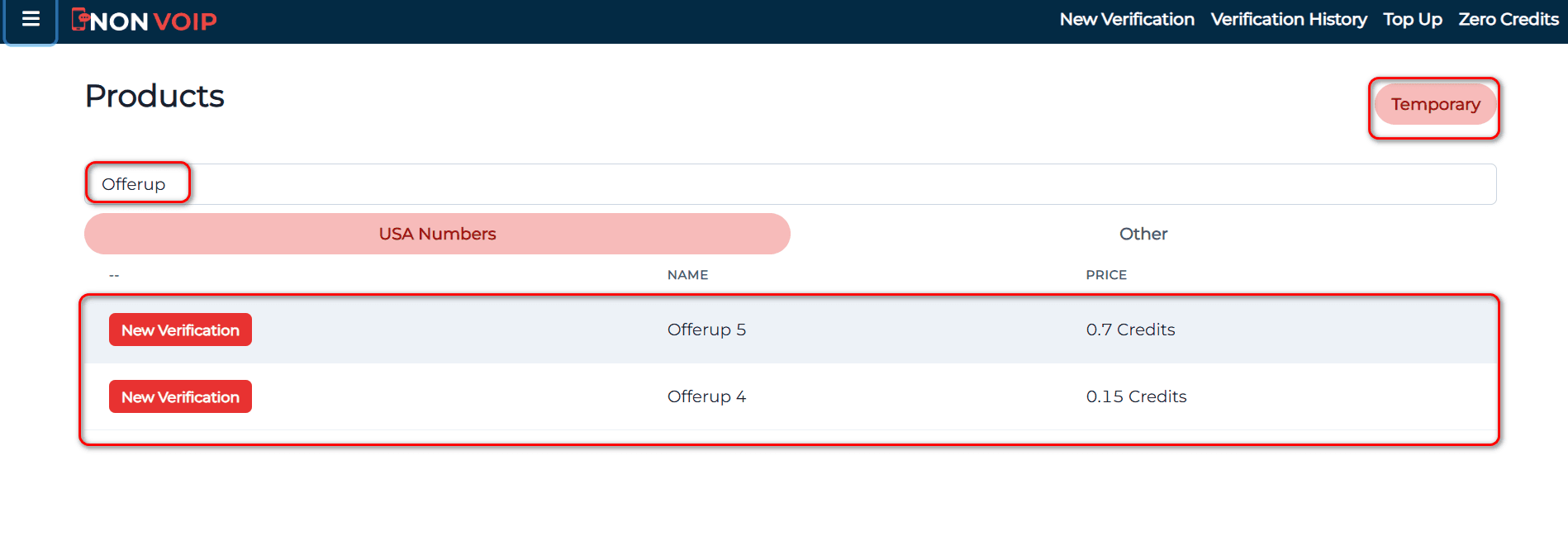
Use the search bar at the top, type "OfferUp", and press the search button.
Click the "New Activation" button and follow the instructions to receive your real US number.
Phase 2: Activating the OfferUp Account
- Open the OfferUp app and start the new account creation process.
- Fill in the required basic information.
- When you reach the phone verification step, paste the number you obtained from the Non-voip site.
- Return to your Non-voip dashboard and wait a moment for the SMS verification code.
- Enter the code into the OfferUp app to complete the process successfully.
Frequently Asked Questions (FAQ)
Why does the platform reject free numbers?
They lack reliability and are classified as high-risk in global financial protection systems.
Are Non-VoIP numbers real?
Yes, they are numbers linked to physical SIM cards rather than software-based ones, ensuring their acceptance on all sensitive platforms.
What if the code doesn't arrive?
The Non-VoIP platform guarantees your balance; you can cancel the request and receive an instant refund to try another number easily.
Conclusion
By using Non-VoIP solutions, you ensure instant delivery of your verification code while protecting your privacy.
This allows you to focus on closing the best deals and growing your local sales with total confidence