 Blog Non-VoIP
To successfully create a LinkedIn account without a phone number and avoid immediate restriction, you must use a Real Non-VoIP number. Microsoft’s security algorithms automatically block virtual (VoIP) numbers.
The definitive solution is to use a real temporary number from Non-Voip to receive your SMS OTP, bypass security checks, and build a stable, isolated professional identity.
Why does LinkedIn require a phone number?
LinkedIn is the world’s largest platform for professionals and companies. It requests a phone number for several technical and security reasons:
- Identity Verification: Ensuring the account owner is a real person to reduce fake profiles used for job-related scams.
- Security (2FA): Using the number as a second layer of protection to secure your professional data and sensitive messages.
- The Privacy Dilemma: Linking your personal number to LinkedIn makes it easier for other platforms’ algorithms (like Facebook and Instagram) to connect your professional identity with your social activity—something many professionals prefer to avoid.
Non-VoIP vs. VoIP: Activating LinkedIn in 2026
| Feature | Non-VoIP (Real SIM) | VoIP (Virtual/Free) |
| Bypassing Security | 100% Success Rate | Instantly detected; ID request triggered |
| Profile Credibility | Appears as a real human account | Appears as a bot or fake account |
| SMS OTP Delivery | Instant and seamless | Often fails to arrive or is delayed |
| Account Safety (2FA) | Stable for long-term use | High risk of ban during security audits |
Steps to Create a LinkedIn Account Without a Phone Number
Follow these simple steps to set up your account while maintaining total privacy:
Phase 1: Get a US Number
- Go to the official Non-Voip website.
- Log in to your account (or sign up for a new one).
- Click on the “New Activation” section.
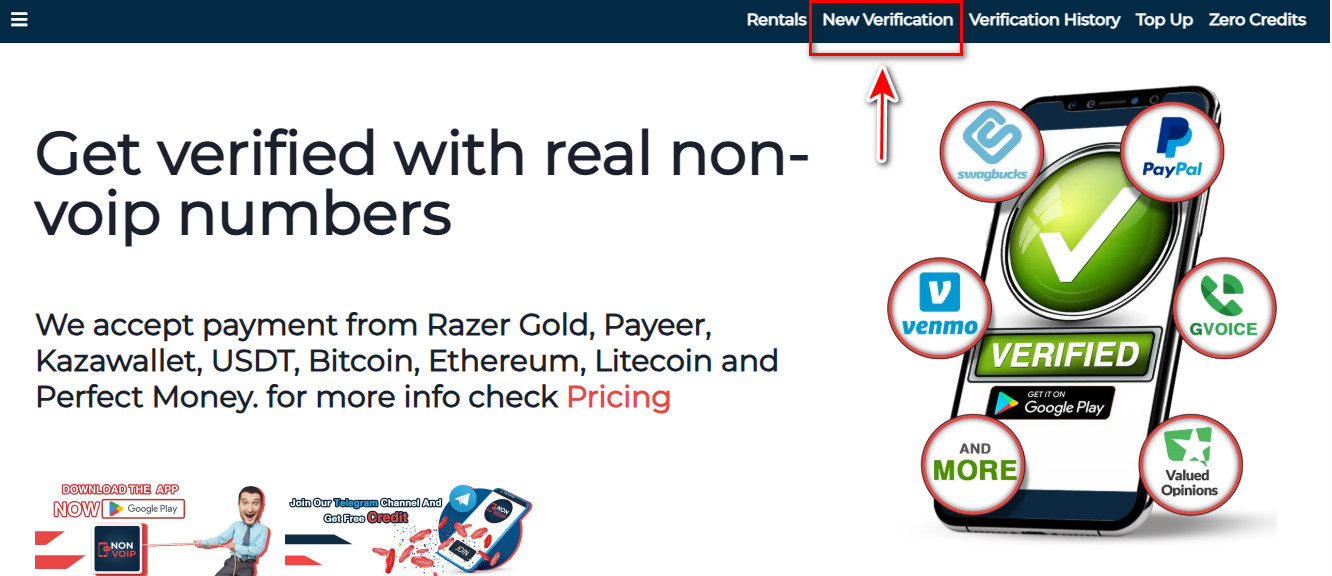
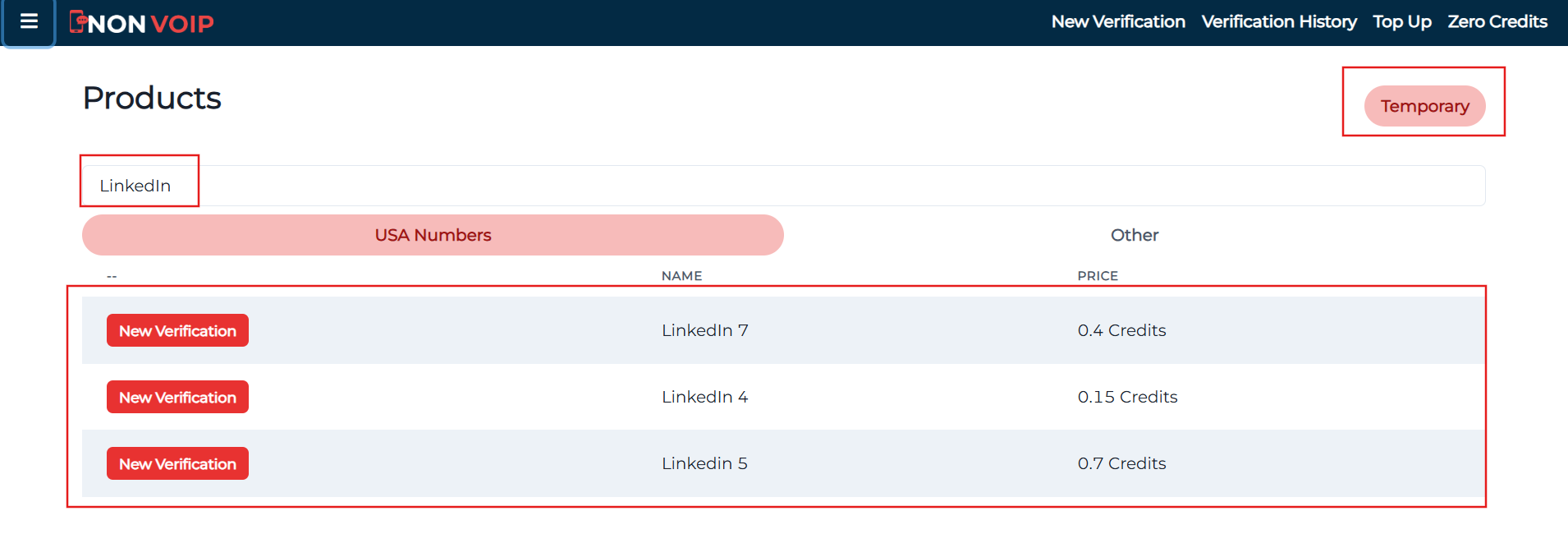
- Use the search bar and type “LinkedIn”, then hit search.
- Click “New Activation” to receive your real US number instantly.
Phase 2: Activating LinkedIn Profile
- Open LinkedIn and start the registration process for a new account.
- Fill in the required basic information.
- When you reach the phone verification step, paste the number provided by Non-Voip.
- Go back to your Non-Voip dashboard and wait for the verification code (SMS OTP).
- Enter the code into the LinkedIn app to successfully complete the setup.
Frequently Asked Questions (FAQ)
1. Does using a US number affect my profile’s visibility in my real country?
Not at all. The number is used strictly for security verification. You can set your Location in your LinkedIn settings to any city or country you choose to appear in local job search results.
2. Will my US number be visible to my colleagues?
No, the number is for internal verification only. You can adjust your privacy settings to hide it completely. Since it is a separate Non-VoIP number, you won’t appear in “People You May Know” suggestions based on your real phone’s contact list.
3. Why did my previous attempts with other sites fail?
Most sites sell software-based VoIP numbers that are easily detected by LinkedIn. Major platforms in 2026 only accept Real SIM-based numbers, which is exactly what our platform provides to ensure the highest acceptance rates.
4. Can I activate more than one profile with the same number?
No. To maintain account authority and avoid “chain banning,” a unique number must be assigned to each account. Linking multiple accounts to one number allows LinkedIn’s algorithms to easily detect and shut down fake networks.
Conclusion
As we’ve highlighted in our previous guides on Activating Facebook Accounts and Creating US YouTube Channels, data quality is the deciding factor in your account’s stability.
Using a real Non-VoIP number is a smart investment that protects both your professional career path and your personal privacy at the same time.