 Blog Non-VoIP
If you tried registering for Outlier and found it complicated, or couldn’t find projects that suit your region, don’t despair. There is another giant in the arena called OneForma.
While most platforms focus heavily on the US market, OneForma is hungry for multilingual speakers, especially Arabic speakers. But, as usual, there is a strict gatekeeper: Phone Number Verification.
In this guide, we will explain how to create OneForma account without phone number, prepare your account for acceptance, and start earning dollars.
What is OneForma?
OneForma is a massive data collection and AI training platform, very similar to Appen and Clickworker. The key difference here is Variety. In OneForma, tasks aren’t limited to just complex AI logic. You will find tasks like:
- The UHRS Project: Evaluating Bing search results (the most famous and stable project).
- Image Collection: “Take a photo of a restaurant receipt,” “Photograph your pet.” (Easy and fast tasks).
- Audio Transcription & Translation: This is your playground if you master Arabic and English.
Read More about How to Earn Money from AI Training?
How to Use a Temporary Number to Activate OneForma
So, how can you create a OneForma account without compromising your privacy? The solution lies in using a Temporary US Phone Number dedicated solely to the activation process. You can activate a OneForma account without using your personal number by utilizing trusted solutions like temporary numbers from Non-VoIP.
But be careful: The site’s systems scan the number type. If they see the number originates from an internet server (VoIP) like Google Voice or TextNow, they immediately classify you as a potential fraudster.
Non-VoIP provides real temporary numbers—not virtual ones—capable of receiving the SMS verification code needed to complete the registration process successfully.
We explain this in detail in our article: VoIP vs Non VoIP Numbers: What’s the Difference?
What is Non-Voip and What Are Its Features?
Non-Voip is a platform specializing in providing real American phone numbers that can be used to activate accounts on numerous global websites and applications.
It’s valuable for platforms requiring US numbers, such as online surveys, social media apps, and even payment services like PayPal.
Among its prominent features:
- Enhanced Privacy and Security: By using a dedicated number from Non-Voip, you avoid linking your personal number to Sleeper’s database, protecting you from unwanted messages and keeping your information confidential.
- Bypassing Blocks: Non-Voip numbers are real SIM-based numbers, which ensures they are accepted and the activation process is successful.
- Low and Affordable Cost: Instead of buying a new SIM card, you can get a temporary, one-time-use number for a very small fee, or rent one for a longer period at a reasonable price.
- Greater Internet Freedom: You can use these numbers to create new accounts on social media platforms like Facebook or WhatsApp or subscribe to streaming services like Netflix, these numbers provide the flexibility you need to achieve that.
Steps to Create OneForma Account Without Phone Number
Follow these simple steps to get a phone number for OneForma activation:
Phase 1: Preparing the Verification Number
- Go to the official Non-Voip website.
- You will need to log in with your current account. If you don’t have an account, you must first create a new one.
- Click on the “New Activation” section on the site.
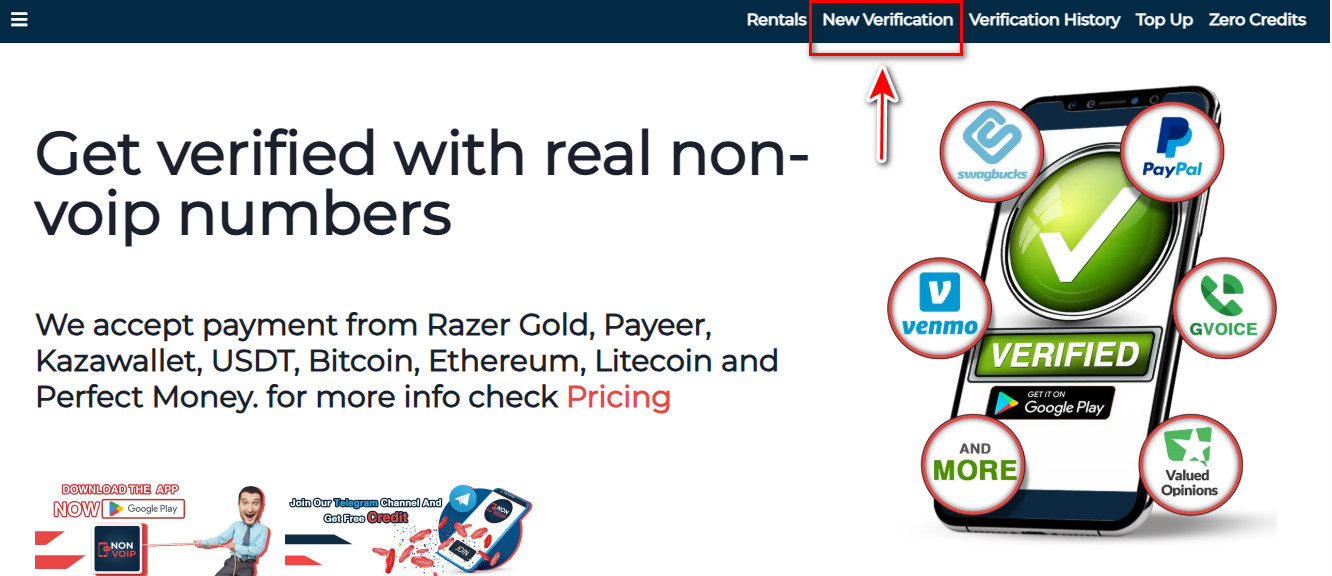
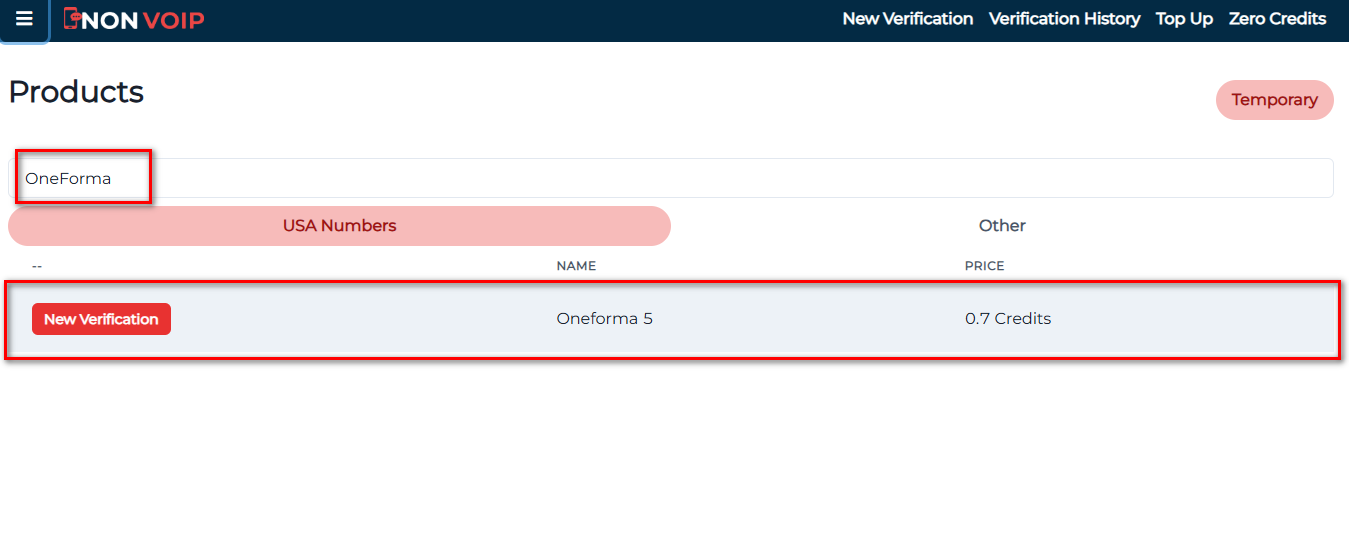
- Use the search bar, usually located at the top of the page. Type “OneForma ” in the search bar and press search.
- Press the “New Activation” button. Follow the instructions to complete the process and get your number.
Phase Two: Activate OneForma Account
-
- Open OneForma and start the new account creation process.
- Fill in the basic information required.
- When you reach the phone verification field, paste the number you got from the Non-Voip site.
- Immediately return to your Non-Voip dashboard and wait a few moments to receive the SMS verification code it sent.
- Enter the code on the Remotasks platform to successfully complete the process.
Pro Tip: Don’t Stop Here!
After activating the account, don’t just sit and wait for work. In OneForma, work doesn’t come to you; you go to it. To unlock projects, you must pass tests called Certifications.
- Go to the Certifications tab.
- Pass the “English Language” test and the “Welcome to UHRS” test. Without this step, your account is just an empty shell.
In The End
While the whole world fights over complex technical jobs, OneForma pays you for your native language and your simple human discrimination skills.
Use smart tools, activate your account today, and start turning your free time into bank credit.